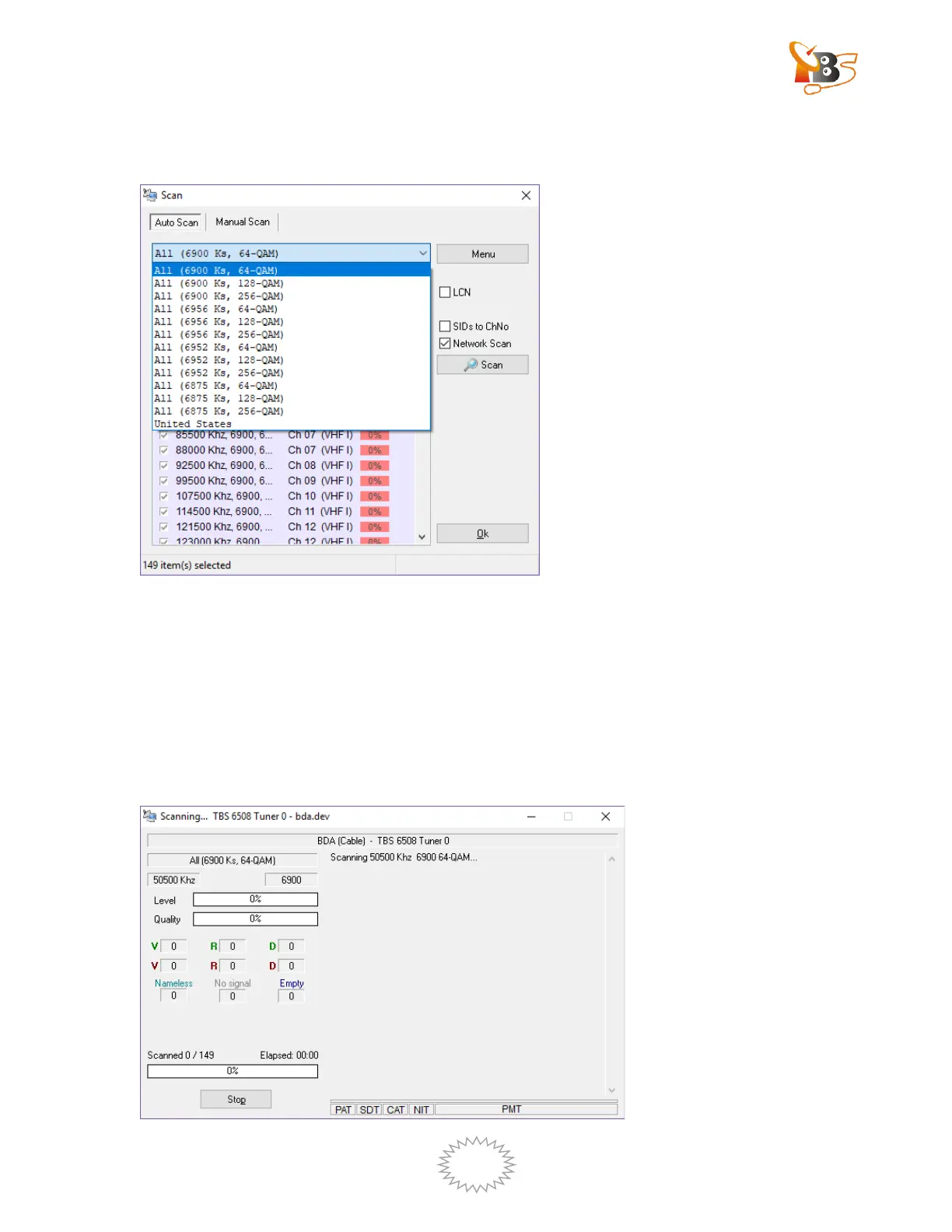
When we don’t know the specific symbol rate information, we choose auto scan, do
like this: Click “Option—channels – scan – auto scan”
Once the scanning finished, a new window will pop up, from which we can get the
information about how many audio channels, videos channels or data channels have
been scanned.
Click “OK”, you will find the programs list appears on left side of DVBDream and
you can watch TV.


 To Next Page