1.2. System requirements:
Windows XP / Vista/ 7/8/10, Linux
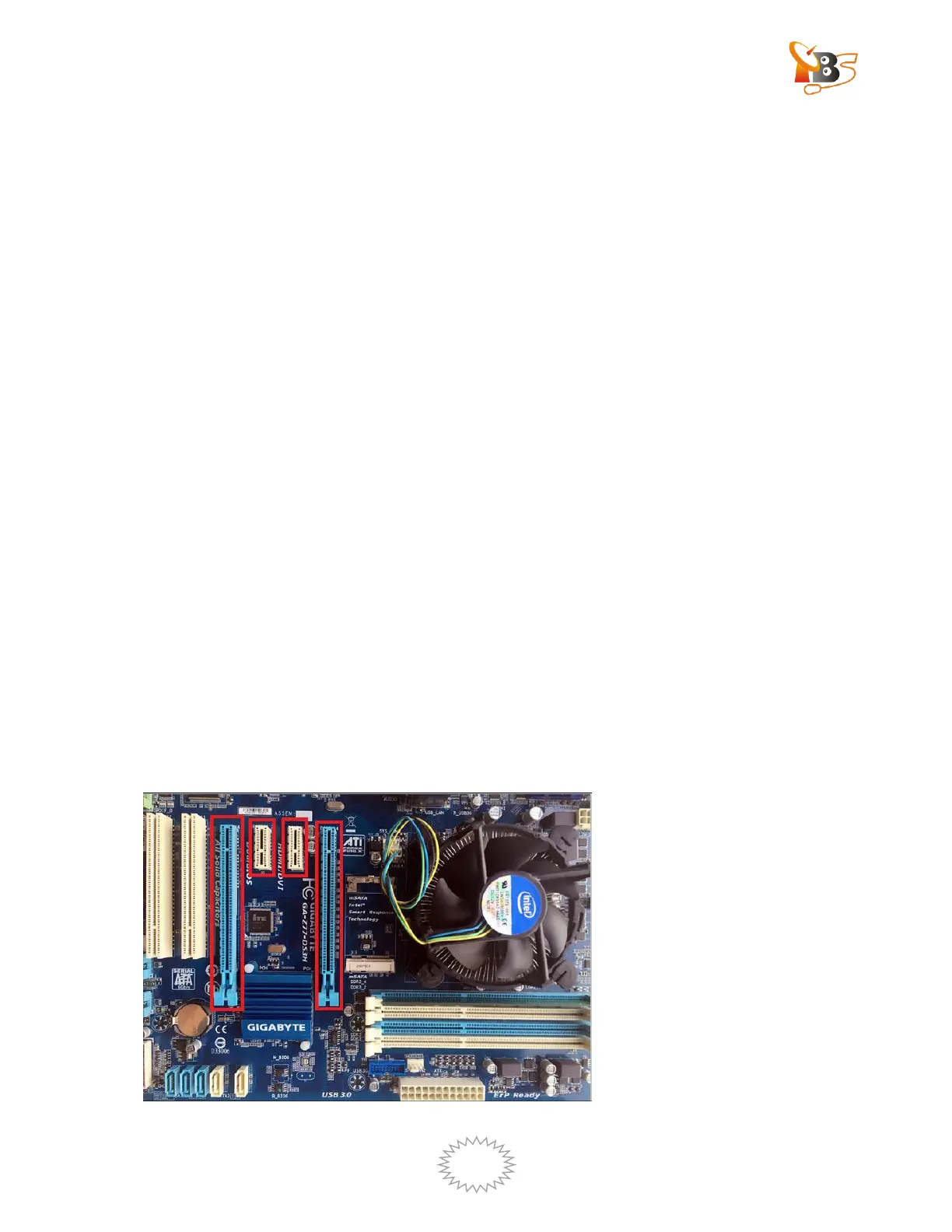
Available PCI Express x1, x4, x8 or x16 slot
Digital TV signal (ISDB-T/DVB-T2/C2/S2X/S2/T/C/S)
1.3. Application:
Data receiving
IPTV streaming
Media monitoring
Digital content distribution
2. Hardware Installation
2.1. Install TBS6508 into PC
Turn off the computer or server, remove the computer cover case and take out cover
panel of PCI-E slot, where the card is to be installed. Insert the card into the PCI-E
slot and fix the card bracket with screw, make sure the card is firmly and completely
inserted into the PCI-E slot, then put back the computer cover.


 To Next Page