DVB Hardware | IPTV System | Video IP Encoder/Transcoder
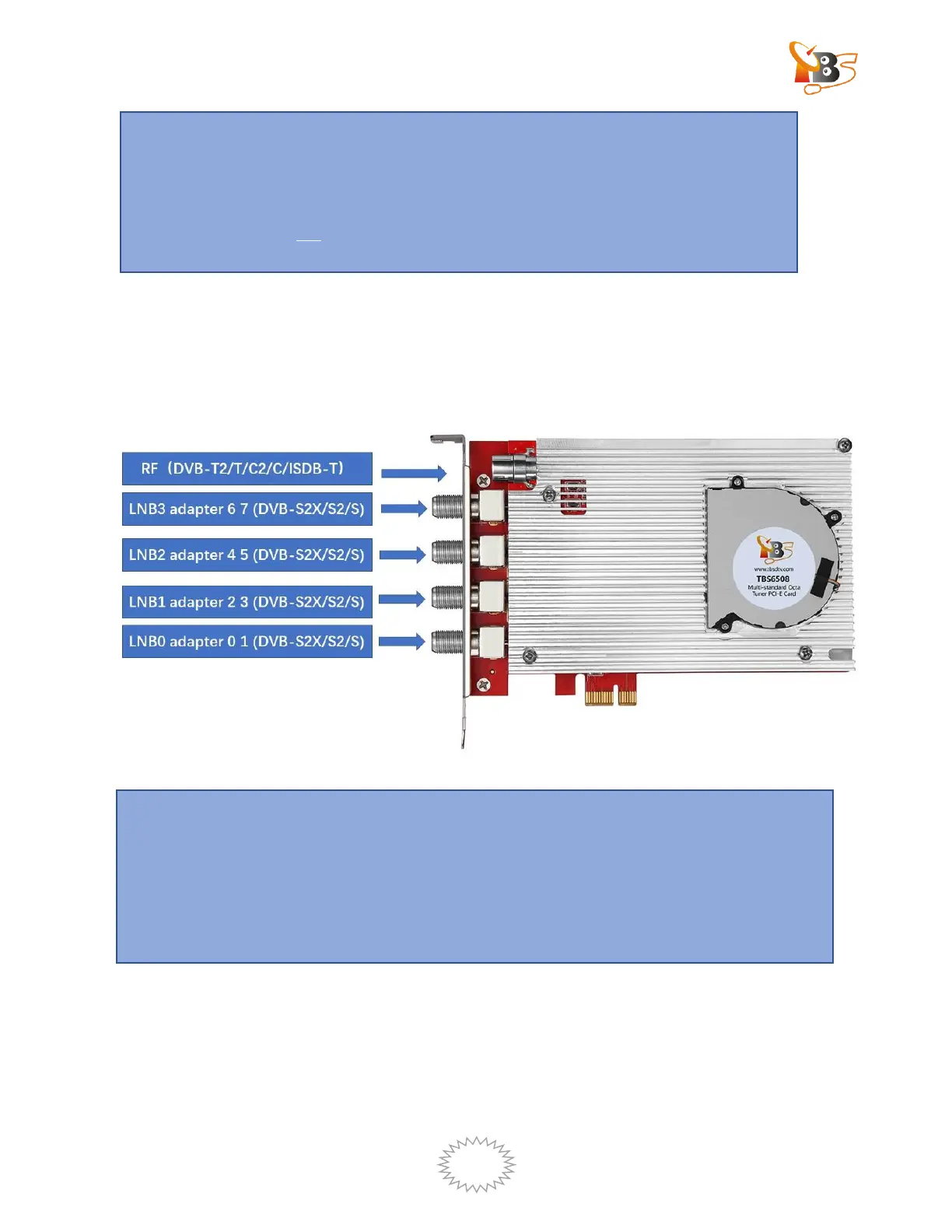
2.2. Connect the TV signal cable to the tuner card on your PC
Please make sure that the TV signal is correctly connected to the TV tuner on the
computer in case of the damage to antenna device. The following TBS6504 TV Signal
Table is for your reference.
3. How to use under Windows
3.1. Windows driver installation.
Attention :
When turning off the computer, please do not touch the PC’s internal
components, especially the CPU and VGA chip, which has a high temperature with
a risk of burns.
Please be sure to see refer to the manual of PC and peripheral equipment.
Attention:
One LNB can receive signals from one transponder, each of the two adapters should
maintain the same settings for Low/High band and vertical/horizontal level.
For example, LNB0, the two adapters 0 and 1 should be the same as HH HH ,VL VL , HL
HL , or VH VH


 To Next Page