20
Switching between date and alarm time
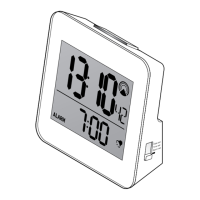
The alarm clock normally displays the current
date.
Briefly press the Alarm on/off button to have
the set alarm time displayed. The alarm
time is shown on the display and alarm is
activated.
The selected display is shown continuously.
Changing the language for the day of the
week
Keep the button pressed for about 3
seconds. The language abbreviation for the
set language will appear in the display.
Keep the button pressed as long as
necessary until the required language
abbreviation is shown.
m
m
m


 To Next Page