7
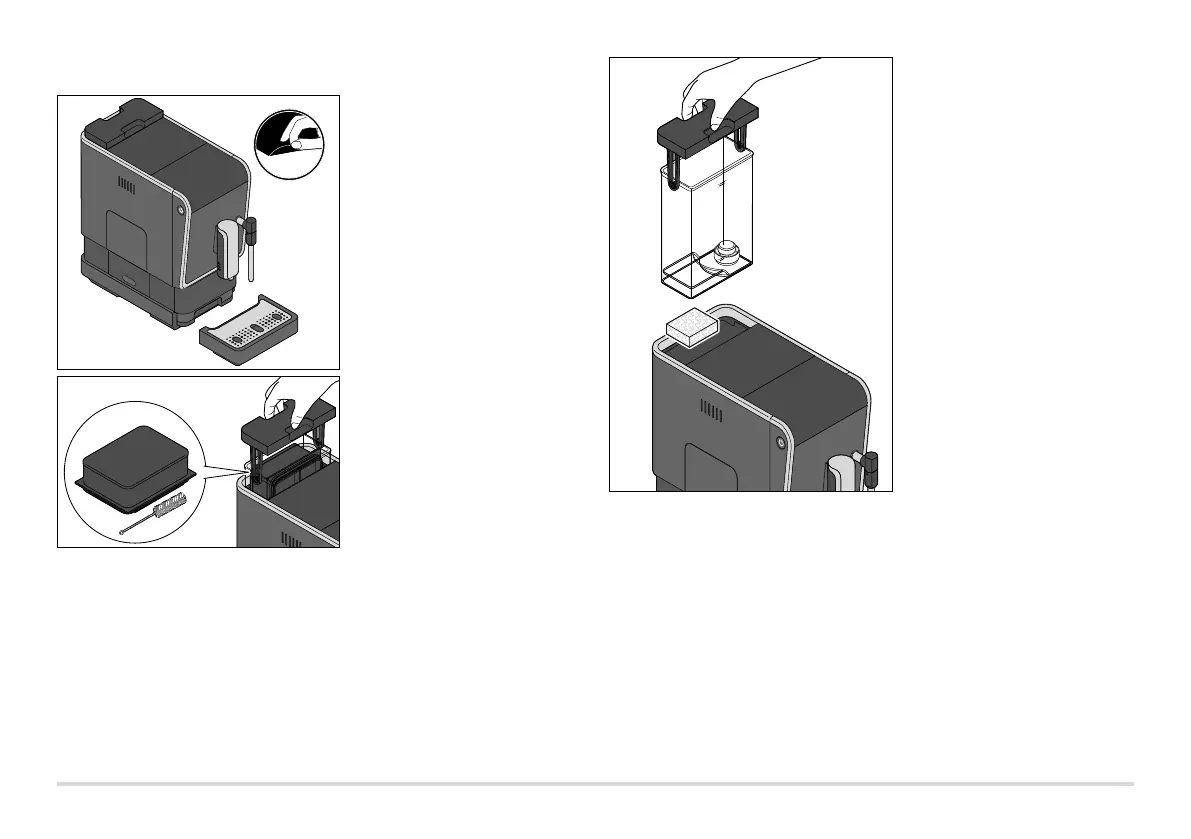
Removing protective films and packaging materials
1. Take the machine out of
the packaging.
2. Pull all protective films off
the machine and remove
all packaging materials.
3. Pull the water tank up and out.
In the water tank you will find
the cleaning brush and extension
piece for the coffee bean
compartment. Remove both
from the tank.
4. Remove the transport protection
piece underneath the water tank.
5. Clean the water tank with a little
washing-up liquid. Then rinse it
out thoroughly under running
water and dry it.
6. Reinsert the water tank in the
machine and push it down as
far as it will go.



 To Next Page