EasyManua.ls Logo

Tchibo 398 498 - User Manual

Tchibo 398 498
32 pages
Print Icon
To Next Page IconTo Next Page
Loading...
Tchibo GmbH D-22290 Hamburg · 109547HB_GFT · 2022-08
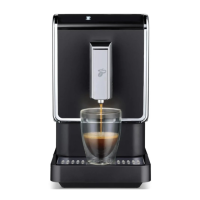
The Tchibo
Bean to Brew Machine
Keep for future use!
en
Operating instructions and warranty
109547 en Kaffeevollautomat_USA_v4.indd 1109547 en Kaffeevollautomat_USA_v4.indd 1 31.08.22 09:4531.08.22 09:45
Question and Answer IconNeed help?

Do you have a question about the Tchibo 398 498 and is the answer not in the manual?

Summary

About these instructions

Symbols in these instructions

Explains warning symbols used in the manual for safety.

Intended Use and Location

Intended Use

Specifies the approved uses and limitations of the coffee machine.

Location

Provides guidance on where to set up the coffee machine for optimal performance.

Important Safety Instructions

Important Safeguards

Lists essential safety precautions for operating the coffee machine safely.

Electric Shock Dangers

Details critical warnings and procedures related to electrical safety and shock prevention.

Child Safety Precautions

Outlines specific safety measures to protect children from machine hazards.

Burn and Scald Risks

Warns about the dangers of hot liquids dispensed by the machine.

Health Risks from Germs

Advises on hygiene and the use of appropriate cleaning agents to prevent health hazards.

Hot Surface Burn Risks

Alerts users to potential burns from hot components of the machine.

Notice: Possible Machine Damage

Cord Safety and Magnetic Interference

Provides guidance on cord safety and keeping sensitive items away from magnets.

Non-Slip Feet and Surface Care

Advises on potential interactions between the machine's feet and work surfaces.

At a Glance: Delivery Contents

Control and Warning Indicators

Control Buttons Overview

Identifies and explains the function of the machine's operational control buttons.

Warning Lights Overview

Explains the meaning of the various orange warning lights indicating maintenance needs.

Packaging and Unpacking

Packaging Material Handling

Information regarding the protective packaging of the unit.

Unpacking and Removing Materials

Step-by-step instructions for unpacking the machine and removing protective elements.

Initial Operation and Setup

Machine Placement Requirements

Specifies the correct location and spacing for setting up the machine.

Installing Drip Bowl and Grid

Guides the user on how to correctly insert the drip bowl and drip grid.

Filling the Water Tank

Instructions on how to properly fill the water tank with fresh water.

Coffee Bean Compartment Preparation

Instructions for opening, filling, and closing the coffee bean compartment.

Connecting Power and Initial Power-On

Guide on plugging the machine in and the first step to turn it on.

Switching On the Machine

Prerequisites for Powering On

Lists the conditions that must be met before turning on the machine.

Initiating the Power-On Sequence

Describes the action of pressing the on/off switch to start the machine.

Adjusting Coffee Spout Height

Rinsing the Machine

Rinsing Preparation and Execution

Steps to prepare for rinsing, including spout adjustment and starting the cycle.

Disposing of Rinse Water

Guidance on emptying the container after the rinse cycle.

Making a Coffee

Preparation and Cup Placement

Steps including spout adjustment and cup placement before making coffee.

Selecting Coffee Type and Options

How to choose between Espresso, Regular, or Large coffee options.

Emptying Containers and Drip Bowl

Emptying and Reassembling Components

Steps for removing, emptying, and correctly reinserting the drip bowl, water tray, and grounds container.

Preheating the Cup

Adjusting Coffee Strength and Volume

Adjusting Coffee Strength (Boost Button)

How to use the boost button to make coffee stronger.

Adjusting Beverage Amount

Permanently customizing the water quantity for each coffee type.

Restoring Factory Settings

Adjusting Grinding Degree

Grind Adjustment Safety Notice

Important warning about potential damage if grinder settings are adjusted incorrectly.

Increasing Grind Coarseness

How to adjust the grinder for a coarser grind to affect coffee flow.

Increasing Grind Fineness

How to adjust the grinder for a finer grind to affect coffee flow.

Expansion for Coffee Bean Compartment

Installing and Using the Expansion

Instructions for increasing the capacity of the coffee bean compartment.

Adjusting Automatic Rinsing Cycle

General Cleaning Instructions

Electrical Safety During Cleaning

Critical safety precautions regarding electricity when cleaning the machine.

Preventing Cleaning-Related Damage

Warnings against using inappropriate cleaning agents or methods.

Recommended Cleaning Schedule

A guide outlining daily, weekly, and as-needed cleaning tasks for machine parts.

Cleaning the Machine Casing

How to clean the exterior surfaces of the coffee machine.

Cleaning the Water Tank and Filter

Detailed steps for cleaning the removable water tank and its filter.

Cleaning Drip Tray and Grounds Container

Procedures for cleaning the leftover water tray, coffee grounds container, and drip bowl.

Cleaning the Brewing Unit

Brewing Unit Safety and Access

Safety warnings, cover removal, and detachment of the brewing unit.

Rinsing and Cleaning Brewing Unit Components

Instructions for washing the brewing unit and cleaning its compartment.

Reinserting and Securing Brewing Unit

How to properly push the brewing unit back into its place securely.

Descaling Procedure

Importance and Preparation for Descaling

Information on descaling necessity and steps to prepare the machine.

Adding Descaler and Setting Up Collection

Instructions for adding descaling solution and placing a collection container.

Executing Descaling and Rinsing Cycles

Steps to start descaling, manage solution flow, and prepare for rinsing.

Refilling and Completing Rinsing

How to refill water for rinsing and complete the final rinse cycle.

Long-Term Non-Use Preparation

Troubleshooting and User Guidance

Symbol-Based Error Resolution

Solutions for issues indicated by specific warning symbols like 'Refill Water' or 'Descale'.

Coffee Temperature, Strength, and Flow Issues

Tips for addressing coffee temperature, strength, flow rate, and heat-up time.

Technical Specifications and Disposal

Technical Specifications

Detailed technical data and specifications of the coffee machine.

Disposal Guidelines

Guidelines for environmentally responsible disposal of the product and packaging.

Appliance Disposal Symbol Explanation

Explanation of the symbol indicating that appliances should not be disposed of with household waste.

Summary

About these instructions

Symbols in these instructions

Explains warning symbols used in the manual for safety.

Intended Use and Location

Intended Use

Specifies the approved uses and limitations of the coffee machine.

Location

Provides guidance on where to set up the coffee machine for optimal performance.

Important Safety Instructions

Important Safeguards

Lists essential safety precautions for operating the coffee machine safely.

Electric Shock Dangers

Details critical warnings and procedures related to electrical safety and shock prevention.

Child Safety Precautions

Outlines specific safety measures to protect children from machine hazards.

Burn and Scald Risks

Warns about the dangers of hot liquids dispensed by the machine.

Health Risks from Germs

Advises on hygiene and the use of appropriate cleaning agents to prevent health hazards.

Hot Surface Burn Risks

Alerts users to potential burns from hot components of the machine.

Notice: Possible Machine Damage

Cord Safety and Magnetic Interference

Provides guidance on cord safety and keeping sensitive items away from magnets.

Non-Slip Feet and Surface Care

Advises on potential interactions between the machine's feet and work surfaces.

At a Glance: Delivery Contents

Control and Warning Indicators

Control Buttons Overview

Identifies and explains the function of the machine's operational control buttons.

Warning Lights Overview

Explains the meaning of the various orange warning lights indicating maintenance needs.

Packaging and Unpacking

Packaging Material Handling

Information regarding the protective packaging of the unit.

Unpacking and Removing Materials

Step-by-step instructions for unpacking the machine and removing protective elements.

Initial Operation and Setup

Machine Placement Requirements

Specifies the correct location and spacing for setting up the machine.

Installing Drip Bowl and Grid

Guides the user on how to correctly insert the drip bowl and drip grid.

Filling the Water Tank

Instructions on how to properly fill the water tank with fresh water.

Coffee Bean Compartment Preparation

Instructions for opening, filling, and closing the coffee bean compartment.

Connecting Power and Initial Power-On

Guide on plugging the machine in and the first step to turn it on.

Switching On the Machine

Prerequisites for Powering On

Lists the conditions that must be met before turning on the machine.

Initiating the Power-On Sequence

Describes the action of pressing the on/off switch to start the machine.

Adjusting Coffee Spout Height

Rinsing the Machine

Rinsing Preparation and Execution

Steps to prepare for rinsing, including spout adjustment and starting the cycle.

Disposing of Rinse Water

Guidance on emptying the container after the rinse cycle.

Making a Coffee

Preparation and Cup Placement

Steps including spout adjustment and cup placement before making coffee.

Selecting Coffee Type and Options

How to choose between Espresso, Regular, or Large coffee options.

Emptying Containers and Drip Bowl

Emptying and Reassembling Components

Steps for removing, emptying, and correctly reinserting the drip bowl, water tray, and grounds container.

Preheating the Cup

Adjusting Coffee Strength and Volume

Adjusting Coffee Strength (Boost Button)

How to use the boost button to make coffee stronger.

Adjusting Beverage Amount

Permanently customizing the water quantity for each coffee type.

Restoring Factory Settings

Adjusting Grinding Degree

Grind Adjustment Safety Notice

Important warning about potential damage if grinder settings are adjusted incorrectly.

Increasing Grind Coarseness

How to adjust the grinder for a coarser grind to affect coffee flow.

Increasing Grind Fineness

How to adjust the grinder for a finer grind to affect coffee flow.

Expansion for Coffee Bean Compartment

Installing and Using the Expansion

Instructions for increasing the capacity of the coffee bean compartment.

Adjusting Automatic Rinsing Cycle

General Cleaning Instructions

Electrical Safety During Cleaning

Critical safety precautions regarding electricity when cleaning the machine.

Preventing Cleaning-Related Damage

Warnings against using inappropriate cleaning agents or methods.

Recommended Cleaning Schedule

A guide outlining daily, weekly, and as-needed cleaning tasks for machine parts.

Cleaning the Machine Casing

How to clean the exterior surfaces of the coffee machine.

Cleaning the Water Tank and Filter

Detailed steps for cleaning the removable water tank and its filter.

Cleaning Drip Tray and Grounds Container

Procedures for cleaning the leftover water tray, coffee grounds container, and drip bowl.

Cleaning the Brewing Unit

Brewing Unit Safety and Access

Safety warnings, cover removal, and detachment of the brewing unit.

Rinsing and Cleaning Brewing Unit Components

Instructions for washing the brewing unit and cleaning its compartment.

Reinserting and Securing Brewing Unit

How to properly push the brewing unit back into its place securely.

Descaling Procedure

Importance and Preparation for Descaling

Information on descaling necessity and steps to prepare the machine.

Adding Descaler and Setting Up Collection

Instructions for adding descaling solution and placing a collection container.

Executing Descaling and Rinsing Cycles

Steps to start descaling, manage solution flow, and prepare for rinsing.

Refilling and Completing Rinsing

How to refill water for rinsing and complete the final rinse cycle.

Long-Term Non-Use Preparation

Troubleshooting and User Guidance

Symbol-Based Error Resolution

Solutions for issues indicated by specific warning symbols like 'Refill Water' or 'Descale'.

Coffee Temperature, Strength, and Flow Issues

Tips for addressing coffee temperature, strength, flow rate, and heat-up time.

Technical Specifications and Disposal

Technical Specifications

Detailed technical data and specifications of the coffee machine.

Disposal Guidelines

Guidelines for environmentally responsible disposal of the product and packaging.

Appliance Disposal Symbol Explanation

Explanation of the symbol indicating that appliances should not be disposed of with household waste.

Tchibo 398 498 Specifications

General IconGeneral
Model Number398 498
BrandTchibo
TypeCoffee Maker
ColorBlack
Voltage220-240 V
FeaturesKeep Warm Function

Related product manuals