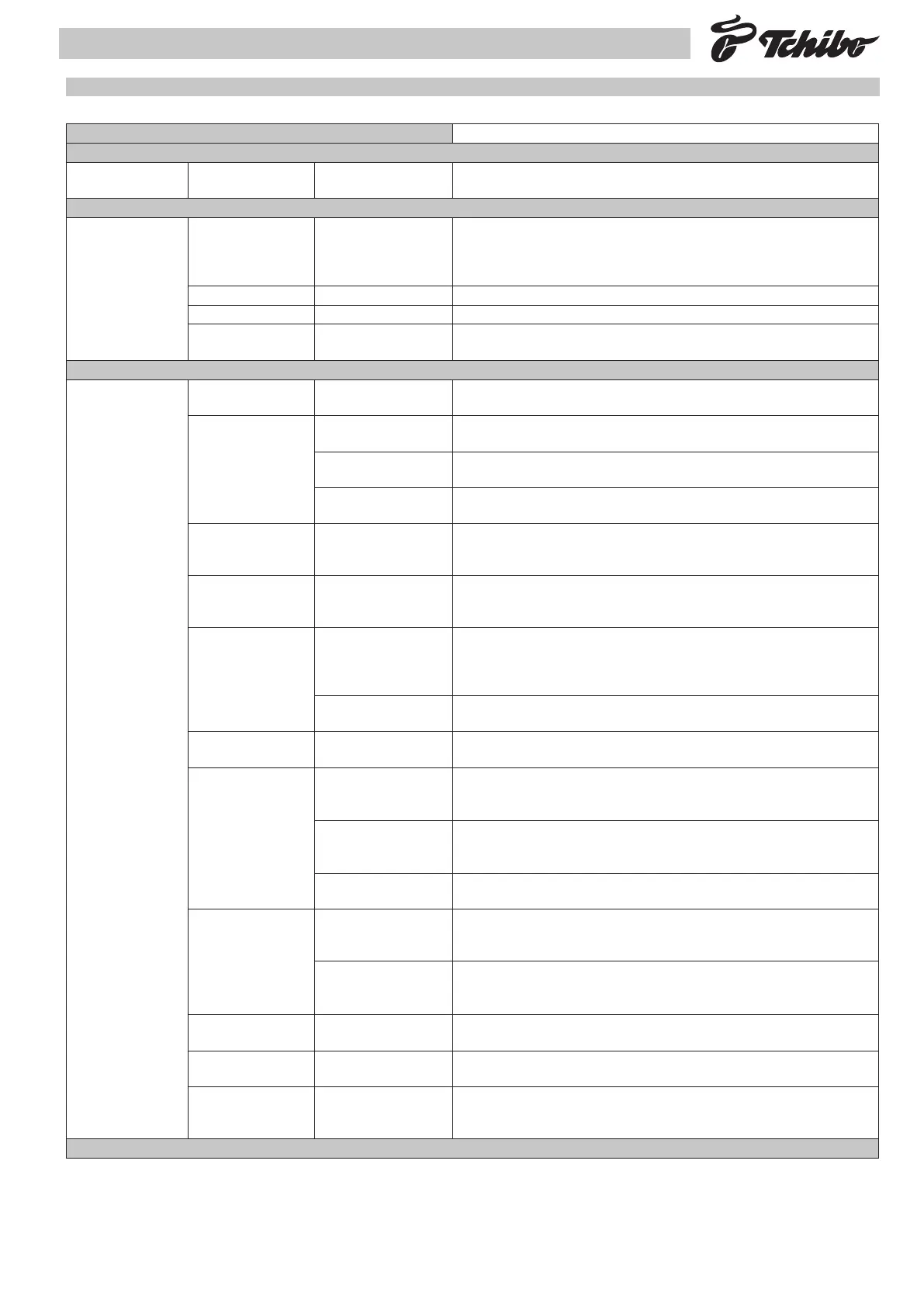
1. Program. menu Press ENTER to access Programming menu mode
Password Insert password Default value:
Default: 0000
Enter the previously entered and stored password (4 digits) to access the programming menu.
1.1. Identication 1.1.1.Admin/Filial PIN
Default 00000
The Service Provider’s or the Administrator’s code are identied by: a numerical value between 0
and 65535. In versions equipped with Tag Reader, this code is compared to that on the labels on
the capsule boxes. Credit loading will be enabled only if this code and the code reported in section
2.9.1 correspond to those on the label.
1.1.2. Model (Read only) It identies the appliance model.
1.1.3. Version (Read only) It identies the appliance software version.
1.1.4. Point of sale:
Default 00000
It identies the sale point: Numerical value from 0 to 65535. Enter the selected number. This num-
ber will then be displayed.
1.2. Setup 1.2.1. Std temperature
Default: 100°C
Boiler working temperature (expressed in centigrade degrees) when the appliance is “ready” to
work. range: 90-105.
1.2.2. Prog. doses 1.2.2.1. Short prod. dose
Default: 138
Product short quantity (it’s a numerical parameter without physical equivalent, e.g. cc)
1.2.2.2. Medium prod. dose
Default: 315
Product medium quantity (this is a numerical parameter without any physical equivalent, e.g. cc).
1.2.2.3. Long prod. dose
Default: 330
Product long quantity (it’s a numerical parameter without physical equivalent, e.g. cc)
1.2.3. Pre-brewing
Default: Long
Pre-brewing time:
No, Short, Medium, Long.
1.2.4. Rinsing
Default: No
Yes enables rinsing process: The process starts when the boiler reaches the ready temperature after
appliance power on.
This process starts only if the boiler temperature is lower than 50°C at the power on of the appliance
1.2.5. Descaling 1.2.5.1. Water hardness
Default: 1
Range 0-4.
0 disables descaling check function. With hardness 1, 2, 3 and 4 the descaling check function is
enabled and the alarm appears after about 120, 90, 60, 30 litres respectively (Values from 5 to 9
will not be accepted).
1.2.5.2. Descalc. warning
Default: Yes
Yes enable descaling alarm signal on display
1.2.6. Filter warning
Default: No
Yes enable softener lter cleaning message on display. When activated the alarm appears after
about ca. 60 lt., in any case after 60gg.
1.2.7. Credits 1.2.7.1 Credit check (Read Only)
Yes: Appliance working by checking the remaining credits
No: No credits check is enabled
1.2.7.2 Credit warning
Default: Yes
“Yes” enables:
- display of the credit alarm on reaching the minimum preset credit quantity;
- display of the “no credit” alarm, when credits have been used up.
1.2.7.3 Load credits
Default: 000
Number of credits to insert:
Range 0 - 256
1.2.8. Payment syst 1.2.8.1 Enable system
Default: No
Yes enables payment system use.
This function can be enabled only if the appliance is provided with a PCB for stepper coin slot ma-
nagement.
1.2.8.2 Display credit
Default: No
Yes enables credit display of the stepper coin slot.
This function can be enabled only if the appliance is provided with a PCB for stepper coin slot ma-
nagement.
1.2.9.Language
Default: English
Select the language to use.
1.2.10. Coee lter
Default: Yes
Yes enables lter coee function.
Only “esc” button will dispense lter coee. The lter operation is not available.
1.2.11. Dreg delay
Default: 15
Exhausted capsules reset waiting time expressed in seconds (with dreg drawer removed) when
relative warning or alarm is present. After this time the warning or the alarm is reset
Range: 0-255 seconds.
11.3 Description of the programming menu
• 6 •
Installation of the machine - Service Provider Manual



 To Next Page