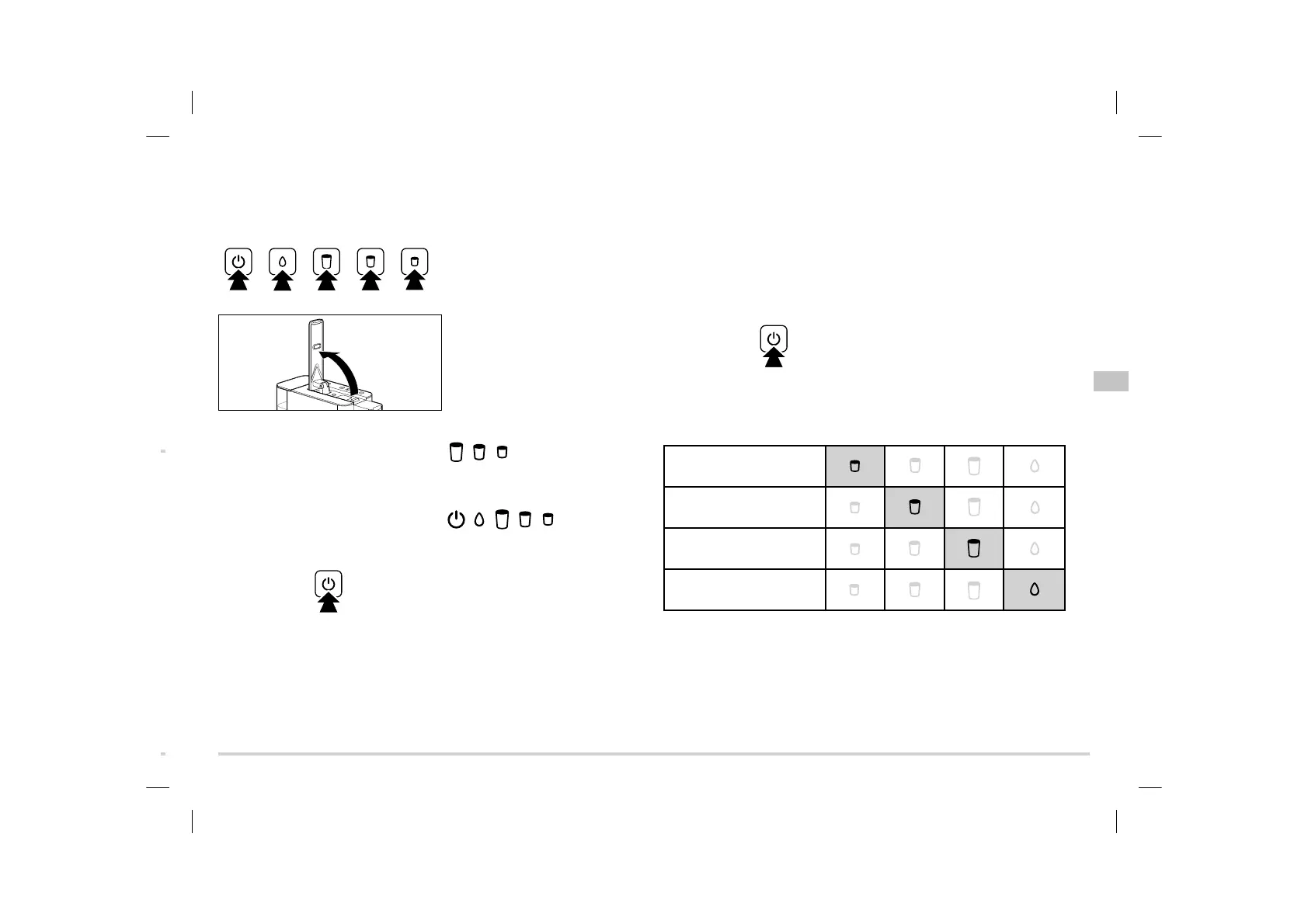
Switching the machine on/off
Switching the machine on
m
To switch the machine on...
... press any button or
... lift the lever all the way up.
The three beverage buttons
, ,
will flash.
As soon as the machine has heated
up, it will emit a beep.
All of the buttons
, , , , will light up
continuously .
Switching the machine off
m
To switch the machine off, press the
On/Off button.
Standby mode
After use, always put the machine into standby mode using the On/Off button. The
machine will then only use minimal power. If no buttons have been pressed for around
9 minutes, the machine will switch automatically into standby mode. This is both a
safety function and an energy-saving function. You can choose between four time
spans after which the machine will switch off automatically:
2 minutes, 9 minutes, 30 minutes or 120 minutes.
You can set the different switch-off times as follows:
1. With the machine switched on,
press and hold the On/Off button
for approx. 5 seconds. You will hear
a beep.
One of the 4 buttons will now be continuously illuminated and the other 3 buttons
will not. You can read which switch-off time is currently programmed using the
continuously illuminated button.
Machine off after 2 minutes
(Espresso button)
Machine off after 9 minutes
(Caffè button)
Machine off after 30 minutes
(Caffè Grande button)
Machine off after 120 minutes
(Cleaning button)
2. Press the button with the desired
switch-off time (you will hear 2 beeps)
or wait approx. 30 seconds to retain
the existing switch-off time.
en
109975 en QBO M3_v7.indd 27 25.01.22 11:35



 To Next Page