23
1�2 Getting started
1�2�1 Setting up
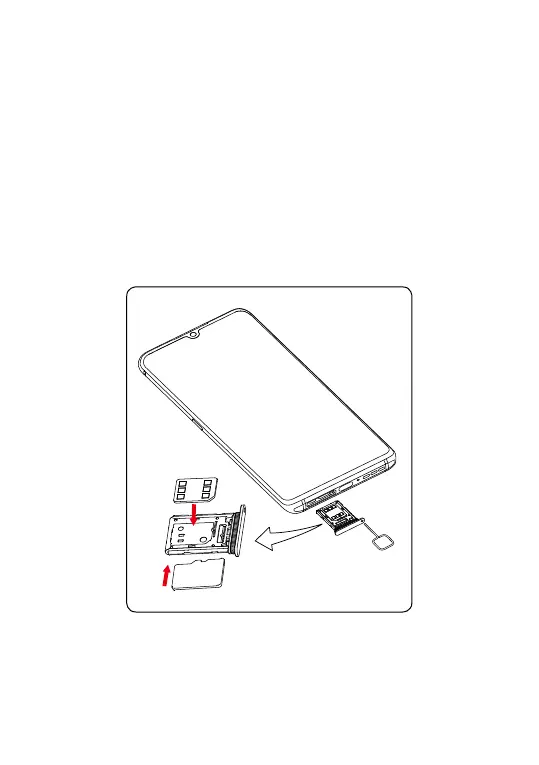
Inserting or removing the SIM/microSD card
① Use the provided SIM pin to open the SIM tray.
② Place the Nano SIM card into the tray slot labeled "SIM".
③ Place the microSD
TM
card into the tray slot labeled "SD".
Note: microSDTM cards are sold separately. Only use Nano SIM
cards with your phone.
①
SD
SIM
③
②
You must insert your SIM card to make phone calls. You do not need
to power off your phone before inserting or removing the SIM card as
this phone supports hot swap.



 To Next Page