EN
11
English
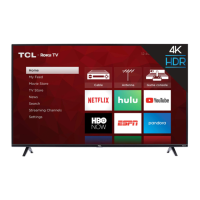
Activate your TCL Roku TV
Activate your TCL Roku TV using your computer,
smartphone, or tablet to link to a Roku account. You
need a Roku account to activate your TV and access
entertainment across thousands of free and paid
streaming channels.
Roku doesn’t charge for activation support - beware
of scams.
Roku accounts are free and while a valid credit card
number is not required to create a Roku account,
saving your credit card information makes renting,
purchasing, and subscribing to entertainment from the
Roku Channel Store fast and convenient.
Once connected to your account, your TV will
automatically update with the latest software, and you
can start streaming immediately.
If you aren't ready to connect your TV to the internet,
you can still use it as a regular TV.
How to set up your Roku TV
You can find the Roku TV user guide and more details on setting up the TV by scanning the QR code below
or by following the link:
https://go.roku.com/tvmanual
Roku® mobile app
To control your Roku device with the Roku mobile app, you must connect your mobile device to the same
wireless network as your Roku device. Visit the App Store to download the Roku mobile app for iOS.
The Roku App (Official) on the App Store (apple.com)
The Roku App (Official) - on Google Play



 To Next Page
 Loading...