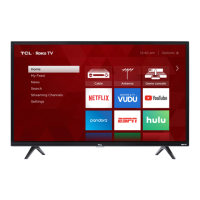
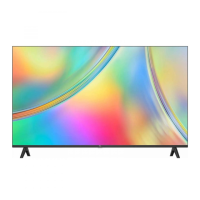
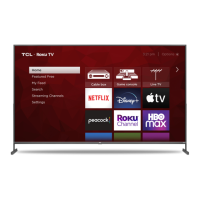
This document is a user manual for a TCL Roku TV, specifically the S-Series models S310R/S350R. It covers setup, usage, troubleshooting, and warranty information.
Function Description:
The TCL Roku TV is a smart television designed for home entertainment. It integrates the Roku operating system, allowing users to stream content from various online channels, watch live TV via antenna or cable, and connect external devices such as cable boxes, Blu-ray players, and gaming consoles. The TV offers a user-friendly interface for navigating menus, searching for content, and personalizing the viewing experience. It also supports voice control through compatible third-party devices like Apple HomeKit (Siri), Amazon Alexa, and Google Assistant, as well as the Roku mobile app. The manual emphasizes ease of setup and access to a wide range of streaming and broadcast content.
Important Technical Specifications:
- Model Series: S-Series (S310R/S350R)
- Display Sizes: 32", 40", 43" (implied by screw sizes for stands)
- VESA Wall Mount Compatibility:
- 32": 100x100 (4 M4x10mm screws)
- 40"/43": 100x100 (4 M6x12mm screws)
- Input Signal Compatibility:
- Antenna/Cable: 480i, 480p, 720p, 1080i (NTSC, ATSC, and QAM formats)
- Composite Video: 480i
- HDMI: 480i, 480p, 720p/60Hz, 1080i/p/50Hz, 1080i/60Hz, 1080p/60Hz
- Broadcasting System: US System NTSC-M, ATSC standard (8VSB), QAM
- Receiving Channels: VHF2-13, UHF14-69, CATV (various ranges specified)
- Tuner Type: Frequency synthesized
- Operating Temperature: 5°C to 35°C (41°F to 95°F)
- Operating Humidity: 20% to 80%, non-condensing
- Storage Temperature: -15°C to 45°C (5°F to 113°F)
- Storage Humidity: 10% to 90%, non-condensing
- Ports:
- Power Port
- USB Port (for photos, music, movies)
- HDMI Ports (multiple, including one HDMI ARC port)
- Antenna/Cable In (VHF/UHF antenna or Cable TV feed)
- AV In adapter (analog audio/video, adapter not included)
- Headphone Out
- Optical (Digital Audio Out)
- Reset Button
- Remote Control: Uses 2 x AAA batteries.
- Wireless Connectivity: Automatically detects wireless networks for streaming.
Usage Features:
- Easy Setup: The manual provides step-by-step instructions for physical setup (attaching stands or wall mounting), connecting power, and inserting remote batteries.
- Guided Setup and Activation: The TV features a guided on-screen setup process to connect to wireless networks and activate a Roku account, which is necessary for accessing streaming channels.
- Roku Operating System: Offers a personalized Home screen, channel line-up customization, and access to thousands of free and paid streaming channels.
- Live TV: Supports watching broadcast TV channels when an antenna or cable is connected.
- Remote Control Functions: The included remote has dedicated buttons for power, back, home, volume, mute, instant replay, options, rewind scan, and fast forward scan. The "Options" button provides quick access to picture settings and display options.
- Voice Control: Compatible with Apple HomeKit (Siri), Amazon Alexa, and Google Assistant for hands-free control of the TV, including searching for content, launching channels, adjusting volume, and switching inputs. This feature also works with the Roku mobile app.
- Personalized Screensaver: Allows users to stream their favorite photos as a screensaver.
- Automatic Updates: The TV receives automatic software updates for new channels and features.
- Text-to-Speech (TTS) Screen Reader: Can be turned on/off via the remote or through the settings menu for accessibility.
- Mobile App Integration: The free Roku app allows a mobile device to function as a full remote control with voice search and keypad.
- Universal Remote Codes: Provides codes for programming universal or cable/satellite box remotes to control the TCL Roku TV.
Maintenance Features:
- Product Registration: Users are encouraged to register their product via text message or online to protect their purchase and access special offers on TCL Protection Plans.
- TCL Protection Plans: Optional plans offer extended manufacturer coverage, priority service, product replacement, genuine TCL parts & service, no deductible, pixel repair and burn-in coverage, accidental damage protection, complimentary removal & reinstallation (for 65" and larger TVs), and remote replacement.
- Troubleshooting Guide: The manual includes a section for common issues such as inability to connect to WiFi, problems with cable/satellite box or antenna connections, and picture size issues.
- Customer Support: Provides contact information for TCL support (phone number and website) for assistance with setup, troubleshooting, and warranty service.
- Battery Caution: Advises using alkaline batteries, installing them with correct polarity, not mixing old and new batteries, and proper disposal.
- Cleaning: Recommends cleaning the TV with a dry cloth.
- Ventilation: Emphasizes maintaining adequate ventilation space around the TV to prevent overheating and ensure product longevity.
- Power Cord Care: Instructs users to protect the power cord from being walked on or pinched and to ensure it is not damaged.
- Product Information Record: Provides space to record the model number, serial number, purchase date, and dealer information for warranty purposes.
- Recycling Information: Directs users to the TCL website for information on recycling old TVs and packaging materials.
- Warranty: Details the limited warranty coverage for defects in materials or workmanship, including duration for non-commercial and commercial use, and procedures for obtaining service. It also lists what the warranty does not cover, such as damage from misuse, improper installation, or acts of nature.



 To Next Page
 General
 Weight and Dimensions