5
Step 1 Set up your TV
Remove your TV from the box
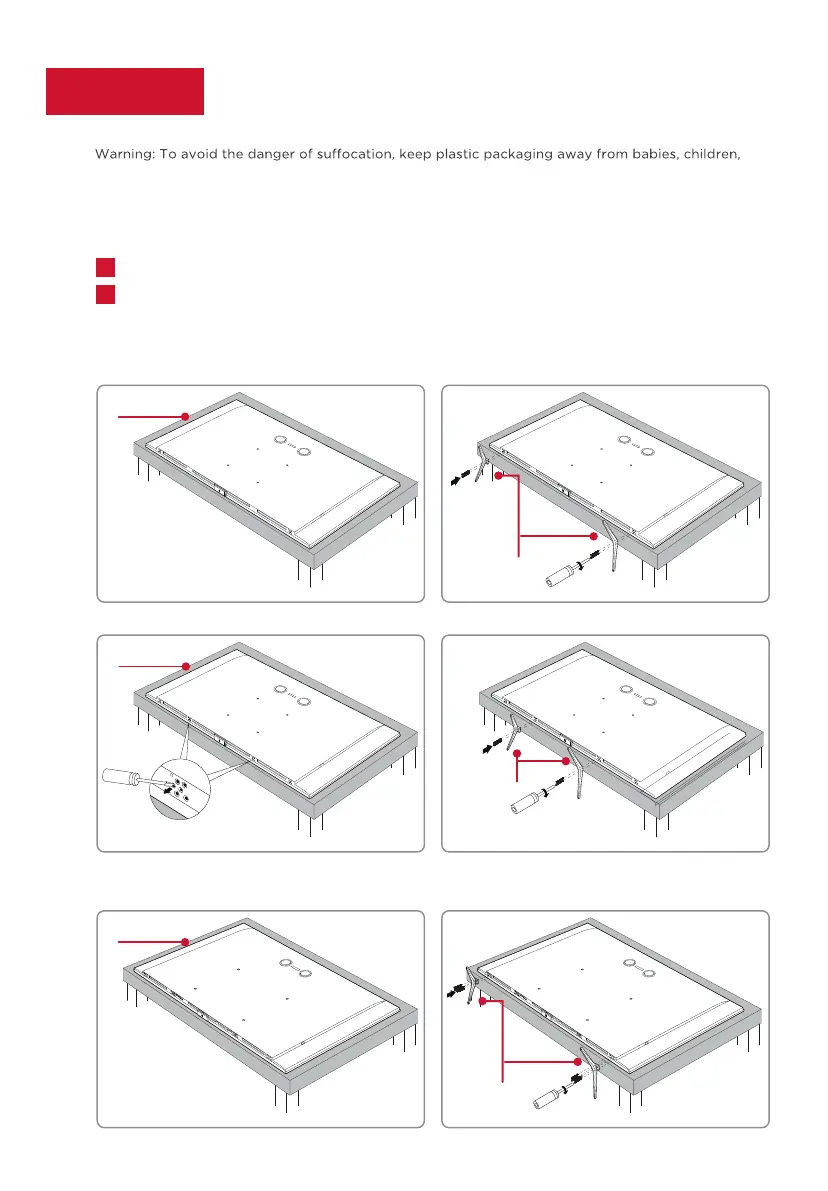
To use the stand
Be careful, it’s heavy!
Align the stands with the screw holes located on
the TV. Secure the stands to the TV
with the supplied stand screws.
To prevent damage to the screen, carefully place your TV on a soft, cushioned surface.
A
B
Note:
Make sure the installation direction of the stand is the same as illustrated.
Please
remove the protective film after installation.
Ready for the step-by-step? You’re only minutes away from TV bliss!
and pets. Do not use packaging bags in cribs, beds, carriages, or playpens.
Screws
(55’’/65’’: M4x20mm 75’’: M5x20mm)
55’’/65’’/75’’
65’’/75’’
A
A
B
B
85’’
A
B



 To Next Page