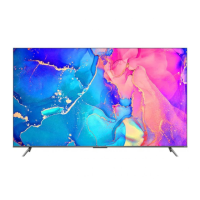
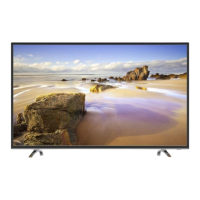
This document outlines the setup, usage, and maintenance of a TCL S-Series Google TV, specifically models S410G and S450G. It also provides information on registering the product for warranty and protection plans, as well as troubleshooting common issues.
Function Description:
The TCL S-Series Google TV is a smart television designed to provide an intuitive and immersive viewing experience. It integrates Google TV, offering access to a wide range of streaming services, apps, and content through a user-friendly interface. The TV supports various input sources, including HDMI for high-quality audio/video connections, USB for media playback, Ethernet for internet connectivity, and antenna/cable for broadcast television. Voice control is a key feature, allowing users to search for content and control the TV using the remote's built-in microphone and Google Assistant. The TV is designed for both stand placement and wall mounting, offering flexibility in installation.
Usage Features:
- Guided Setup: The manual provides a step-by-step guide to setting up the TV, starting from unboxing and attaching the stands (if not wall-mounting) to powering it up and completing the guided software setup.
- Remote Control: The included remote is designed for intuitive navigation. It features dedicated buttons for power, input selection, Google Assistant (for voice control), profile selection, settings, a circular D-pad for navigation, OK button for selection, back button, TCL Home access, Live TV EPG, volume control, channel change, quick settings, mute, TV Plus, virtual keyboard, and information display. The remote needs to be paired with the TV for full functionality, especially for voice control.
- Google TV Integration: The TV leverages the Google Home app for quick setup on Android or iOS devices, simplifying the initial configuration process. It requires a free Google account, a free TCL account, and a reliable broadband internet connection to access all smart features and services.
- Input Versatility: Users can connect various external devices. HDMI ports support cable boxes, Blu-ray players, and gaming consoles. A dedicated HDMI (e)ARC port allows connection to audio devices like sound bars or AV receivers for enhanced audio. USB ports enable playback of photos, music, and movies from USB devices. An Ethernet port ensures stable internet connection, while an antenna/cable input allows for traditional broadcast TV. An AV IN adapter is available for older devices with analog audio/video outputs, and a headphone out port allows for private listening. An optical (digital audio out) port connects to external digital audio systems.
- Parental Control: The TV includes parental control features, with an initial password of 1234, which can be changed. A reset code (0423) is provided if the password is forgotten.
- Accessibility Features: The manual describes how to enable or disable Text-to-Speech (TTS) through the settings menu, enhancing accessibility for users with visual impairments.
- Troubleshooting: Common issues like inability to connect to Wi-Fi, problems with cable/antenna connections, and remote control programming are addressed with practical solutions.
Maintenance Features:
- Cleaning: The TV should be cleaned only with a dry cloth.
- Ventilation: Proper ventilation is crucial for product longevity. The manual specifies maintaining at least 2 inches of ventilation space from the top and sides of the TV and 1 inch from other surfaces. Ventilation openings should not be blocked by objects like newspapers, curtains, or tablecloths.
- Power Cord Care: The power cord should be protected from being walked on or pinched. When not in use, it should be tied up and kept away from sharp edges to prevent abrasion. Any damaged power cord should be replaced with one specified by the manufacturer.
- Battery Handling: For the remote control, only alkaline batteries of the same type should be used. Batteries must be inserted with correct polarity. Mixing old and new batteries, or different types of batteries (Alkaline, Standard, Rechargeable), is not recommended. Batteries should not be disposed of in fire and should be recycled according to local guidelines. If the remote becomes warm or hot during use, discontinue use and contact customer support.
- Product Placement: The TV should be placed on a firm, flat surface. Soft carpeting or similar surfaces can block ventilation slots, leading to overheating. If using a stand, ensure it is of adequate size and strength to prevent tipping. For wall mounting, specific VESA wall mount sizes and screw types are provided for different TV models, and the wall mount must be able to bear a minimum of five times the TV's net weight. Wall mounting should be done by a professional installer, and the TV should never be mounted to the ceiling with the screen facing down.
- Warranty and Protection Plans: TCL offers extended protection plans that cover manufacturer defects, priority service, product replacement, genuine TCL parts and service, no deductible, pixel repair and burn-in coverage, accidental damage protection, complimentary removal and reinstallation for larger TVs, and remote replacement. These plans are available for purchase during product registration within the first 30 days of ownership. The standard manufacturer warranty covers defects in materials or workmanship for one year for non-commercial use and six months for commercial use.
- Safety Instructions: The manual includes important safety warnings, such as avoiding exposure to rain or moisture, not placing liquid-filled objects on the apparatus, and protecting the power cord. It also advises against opening the TV casing due to the risk of electric shock and refers servicing to qualified personnel.
- Disposal Information: Information on recycling old TVs, sound bars, and packaging is provided, directing users to the TCL website and How2Recycle® labels for proper disposal.

 Need help?
 General

 To Next Page