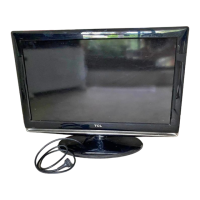
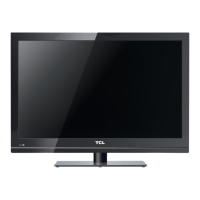
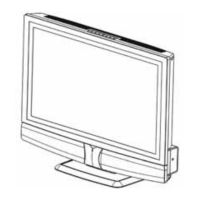
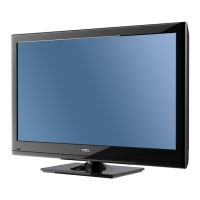
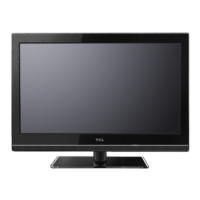
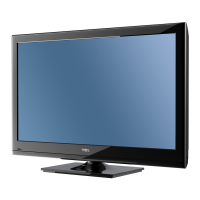
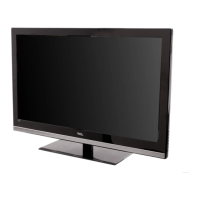
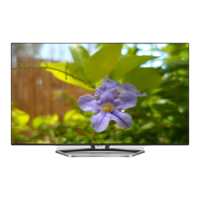
This document is an operation manual for a range of TCL LCD TVs, including models L19M19, L22M19, L26E9B, L32M19, L32P10F, L32E9B, L42E9BF, L46P10F, L46P10FZ, and L55P10FZ. It provides instructions for initial setup, general operation, advanced functions, and troubleshooting.
Function Description
The TCL LCD TV is designed for viewing television programs and can also serve as a display for various external devices. It supports both analog and digital broadcasts, allowing users to search for, find, and store available channels. The TV offers a comprehensive menu system for configuring settings related to picture, sound, and other advanced functions. It includes a USB port for media playback, enabling users to view pictures, listen to music, and watch videos from a USB storage device. The TV also features a Picture-in-Picture (PAP) function to display content from different sources simultaneously.
Important Technical Specifications
- Supported Models: L19M19, L22M19, L26E9B, L32M19, L32P10F, L32E9B, L42E9BF, L46P10F, L46P10FZ, L55P10FZ.
- Power Supply: Designed for AC supply only.
- Antenna Input: 75 OHM - VHF / UHF / cable.
- Connectivity:
- HDMI: Multiple HDMI inputs (HDMI1, HDMI2, HDMI3) for high-definition multimedia interface devices like Blu-ray players, supporting uncompressed digital video and audio.
- AV (RCA): AV1 IN (back) and AV2 IN (side) for composite video connection with devices like video recorders, camcorders, decoders, satellite receivers, DVD players, or game consoles.
- Component (YPBPR): YPBPR component video sockets (Y, Pb/Cb, Pr/Cr) and corresponding audio sockets for devices like DVD players, offering excellent picture quality.
- USB: Side USB socket for connecting USB devices for media playback.
- VGA: VGA socket for connecting a computer.
- VGA/DVI Audio In: For audio connection when using HDMI for DVI or VGA input.
- Headphone Out: Side headphone socket for connecting headphones or stereo earphones (mutes speakers when connected).
- SPDIF OUT: Digital coaxial cable output for connecting to a digital amplifier, maintaining the audio frequency of the current source.
- AV OUT: Audio/Video output sockets for connecting to a VCR to record programs.
- Antenna In: For connecting to an external antenna.
- SERVICE ONLY: Socket for software upgrades.
- Remote Control: Uses two AAA batteries.
- Supported USB File Formats:
- Picture: JPEG
- Music: MP3
- Video: AVI/MP4
Usage Features
- Initial Setup: Guides users through selecting settings and automatically searching for and storing available channels. Users can skip the scan or interrupt it.
- Menu System: Accessible via the "Menu" button on the remote, allowing navigation through various settings using direction buttons and "OK" to confirm.
- Channel Management:
- Automatic Channel Set-up: Scans and stores all available analog and digital channels.
- Automatic Update: Updates channels without altering existing sorting.
- Digital Test Reception: Checks signal quality of digital channels to aid in antenna repositioning.
- Analog Manual Installation: Allows manual search, fine-tuning, and storing of analog channels.
- Organiser: Features for skipping channels, sorting channels (swapping positions), and editing channel names.
- Favorite Channels: Users can create a list of up to seven favorite TV channels.
- Picture Adjustment:
- Picture Presets: Vivid, Standard, Movie, Power Saver, Personal.
- Manual Adjustments: Brightness, Contrast, Saturation, Sharpness (not available in VGA mode), Backlight (not available in Vivid mode).
- Color Temperature: COOL, NORMAL, WARM.
- Screen Mode: 4:3 format, Cinerama, 14:9 Zoom, 16:9 Zoom, 16:9 Zoom Up, 16:9 Format. Specific modes like Stretch Zoom, Wide Zoom2, Zoom2, Wide Zoom, and 4:3 format are available in HDMI mode.
- Auto Format: Automatically adjusts picture display according to HD Signal's format (available in TV and AV modes).
- Noise Reduction: Sets the level for noise measurement and reduction.
- Sound Adjustment:
- Sound Presets: Speech, Music, Movies, Multimedia, Personal.
- Manual Adjustments: Balance, Bass, Treble (auto switches to Personal preset when adjusted).
- Wide Stereo: On/Off.
- Auto Volume Control: Maintains consistent sound level across channels.
- Sound Type: Selection based on the program being watched.
- PAP (Picture-in-Picture) Function: Displays pictures from two different source inputs side-by-side (one for analog/digital TV, the other for VGA, HDMI, or CMP inputs). Users can reposition the TV window and toggle focus between windows.
- Lock Function:
- Channel Lock: Locks specific TV channels.
- Parental Rating: Sets a rating for programs.
- Input Lock: Locks external source inputs.
- Change Password: Allows users to change the personal code.
- Clear All: Unlocks all locked channels.
- Front Parent Lock: Locks the TV's side panel buttons.
- Lock Installation: Prevents access to the Installation menu.
- Lock Max Volume: Sets a maximum volume limit.
- Timer Functions:
- Timezone: Selects local time.
- Daylight Saving: On/Off.
- Clock: Auto-synchronization (from DTV signals) or manual setting.
- Power On Timer: Sets a time for the TV to automatically switch on.
- Power Off Timer: Sets a time for the TV to automatically switch off.
- Sleep Timer: Sets a period after which the TV goes into standby mode (up to 120 minutes).
- Special Functions:
- Subtitle: Enables subtitles for digital TV channels, with options for Normal or Hearing Impaired.
- SPDIF Type: Selects sound type for digital programs (PCM or AC3).
- T-Link (CEC): Searches for CEC devices connected to HDMI sockets and enables one-touch play and standby between CEC devices.
- USB Media Playback:
- Picture: Browse and view JPEG images, initiate slide shows.
- Music: Browse and play MP3 audio files.
- Video: Browse and play AVI/MP4 video files.
- Source Labels: Allows users to name accessory devices connected to external inputs/outputs.
- One-touch Play: Enables playback from a connected DVD device by pressing its play button, automatically switching the TV to the correct source.
- System Standby: Allows the TV and all connected HDMI devices to enter or exit standby mode simultaneously.
- Reset: Resets picture and sound settings to factory defaults while retaining channel installation settings.
Maintenance Features
- Cleaning: Dust the screen and cabinet with a soft, clean cloth or special liquid cleaner. Avoid excessive force on the screen and do not use water or other chemical cleaners on the screen.
- Battery Replacement: Instructions for inserting and replacing AAA batteries in the remote control, with precautions against mixing battery types, incorrect polarity, and exposure to heat.
- Troubleshooting Guide: Provides solutions for common issues such as no picture/sound, no color, remote control malfunction, unorderly ripples, blank screen in VGA mode, snowy dots, interference, and ghosts.
- Power Cord and Signal Cable Protection: Advices to prevent anything from resting on or rolling over the cables, protect them from being trampled, avoid overloading, and keep them away from moisture.
- Use Environment: Recommendations for placing the TV on a stable surface, ensuring good ventilation, avoiding damp/cold/dusty environments, and protecting from direct sunlight and overheating.
- Wall Mounting Safety: Instructions for safe wall installation, including checking wall support, following mounting instructions, using suitable screws, and ensuring cables are not a tripping hazard.

 Need help?

 To Next Page
 General