1 0
EN
Product Description
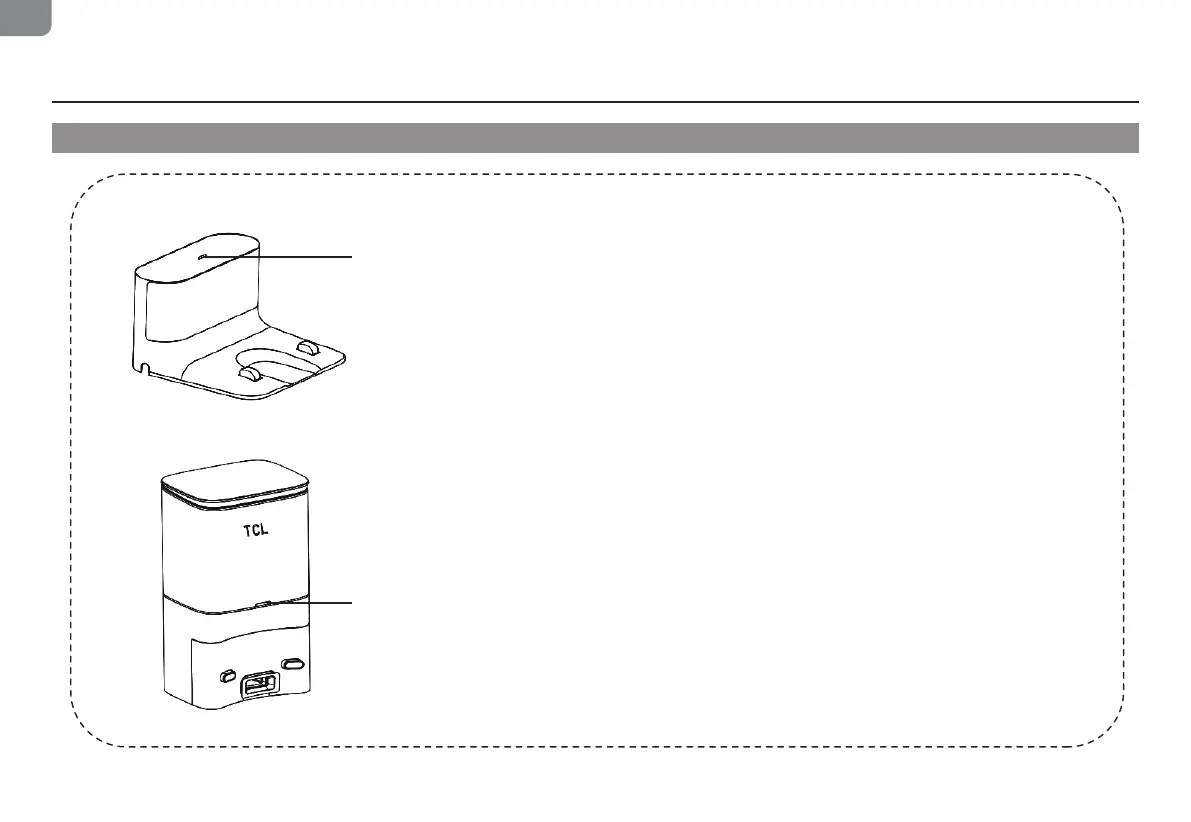
Button light interaction
Charging Dock (Sweeva 6000)
Charging dock indicator
Normally on:
When the main machine is not connected to the charging dock.
Off: Power off or the main machine and the charging dock are correctly connected.
Self-Emptying Dustbin (Sweeva 6500)
Self-Emptying dustbin indicator
Solid white light:
When the main machine is not connected to the self-emptying
dustbin.
White light off: The main machine and the self-emptying dustbin are correctly connected.
Solid red light: The dust bag is not in place.
Red light flashing: Abnormal state.


 To Next Page