EasyManua.ls Logo

TCL Sweeva 2000 - User Manual

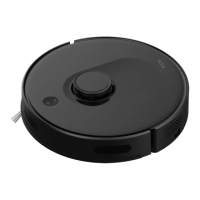
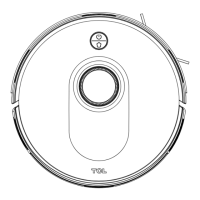
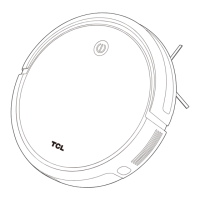
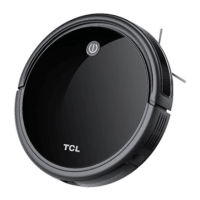
TCL Sweeva 2000
43 pages
Print Icon
To Next Page IconTo Next Page
Loading...
Hi! Let’s Get Started.
Sweeva 2000
Quick Start Guide

Questions and Answers

  • E
    Elizabeth BondAug 13, 2025
    Why is my TCL Sweeva 2000 suction weak?
    • R
      Richard HooverAug 13, 2025
      If your TCL Vacuum Cleaner's suction is weak, check if the fan suction port is blocked by any foreign substances. Also, empty the dustbin and clean or replace the high-efficiency filter.
  • T
    Tara DavisAug 16, 2025
    What to do if my TCL Vacuum Cleaner is unable to charge?
    • F
      foxmargaretAug 16, 2025
      If your TCL Vacuum Cleaner is not charging, remove any objects around the charging base and ensure the power supply is connected to the charging base. Wipe the charging contacts of both the charging base and the main machine with a dry cloth.
  • M
    Megan LunaAug 20, 2025
    Why is my TCL Sweeva 2000 making a louder noise?
    • B
      Bradley LoveAug 21, 2025
      If your TCL Vacuum Cleaner is making a louder noise, confirm that the dustbin and the high-efficiency filter are installed correctly. Also, check the roller brush and side brushes for any foreign substances.
  • R
    Renee ShawAug 25, 2025
    What to do if my TCL Sweeva 2000 Vacuum Cleaner robot is unable to start?
    • K
      Kimberly CisnerosAug 25, 2025
      If your TCL Vacuum Cleaner robot doesn't start, ensure it is fully charged and that the power button on the bottom of the robot is in the “on” position.
  • N
    Nancy WalkerAug 28, 2025
    How to fix a TCL Sweeva 2000 Vacuum Cleaner when the roller brush is not spinning?
    • B
      Brandy HawkinsAug 28, 2025
      If the roller brush on your TCL Vacuum Cleaner is not spinning, remove any hair and foreign substances from it.
  • S
    Susan StephensSep 1, 2025
    What to do if the side brush is not spinning on my TCL Sweeva 2000 Vacuum Cleaner?
    • R
      Russell DunnSep 1, 2025
      If the side brush on your TCL Vacuum Cleaner is not spinning, remove any hair and foreign substances from it.
  • J
    Joseph MirandaSep 4, 2025
    What to do if my TCL Sweeva 2000 Vacuum Cleaner won't start with the remote control?
    • C
      Corey MartinSep 4, 2025
      If your TCL Vacuum Cleaner won't start with the remote control, replace the remote control battery with a new AAA battery.
  • S
    Steven CurtisSep 8, 2025
    How to fix low battery voltage on TCL Sweeva 2000?
    • M
      Michelle SandersSep 8, 2025
      To address low battery voltage on your TCL Vacuum Cleaner, charge the robot manually.

Summary

Register and Protect Your Purchase

Register with Smartphone

Register your product easily using your smartphone by scanning a QR code or texting a photo.

Add TCL Protection Plan

Purchase a TCL Protection Plan within 30 days of registration for extended coverage and benefits.

Packaging List

Quick & Easy Setup

Magnetic Strip Virtual Wall Setup

Remote Control

Time & Schedule Settings

Configure the remote's clock and set automated cleaning schedules.

Cleaning Modes & Operation

Select cleaning modes (Auto, Edge, Spot) and manage vacuum level and charging.

App Control Setup

Robot Light Indicator Status & Error Tones

Maintenance

Cleaning Components

Instructions for cleaning the dustbin, filter, roller brush, side brushes, and omni-directional wheel.

Replacement Parts

Important Safety Instructions

Basic Precautions

General guidelines for safe product use and handling, including hazard symbols.

Specific Warnings

Warnings about potential hazards like fire, electric shock, and damage from environment or misuse.

Limited Product Warranty

Troubleshooting

TCL Sweeva 2000 Specifications

General IconGeneral
Package depth145 mm
Package width367 mm
Package height461 mm
Package weight4700 g
Cord length- m
RechargeableYes
Charging time- h
Battery voltage- V
AC input voltage220 - 240 V
Battery capacity2900 mAh
AC input frequency50 Hz
Battery technology-
Noise level60 dB
Wet moppingNo
Navigation typeRandom
Integrated sensorsDrop sensor, Non-contact distance sensor
Water tank capacity- L
Dust capacity (total)0.6 L
Vacuum cleaner programsAuto, Edge, Manual, Spot
Threshold climbing (max)20 mm
FilterHEPA Filter (Washable)
Filter typeHEPA
Battery type2x AAA
Number of filters1 pc(s)
Dimensions (LxWxH)320 x 324 x 70 mm
Maximum input power- W
Accessories includedSide Brush×2, Roller Brush ×1, Filter ×1
Package dimensions (LxWxH)145 x 367 x 461 mm
ShapeRound
Product colorBlack, Grey
Dust container typeBagless
Battery life2.5 h
Weight and Dimensions IconWeight and Dimensions
Depth320 mm
Width324 mm
Height70 mm
Weight2400 g

Related product manuals