EasyManua.ls Logo

TCL T767H - User Manual

TCL T767H
19 pages
Print Icon
To Next Page IconTo Next Page
Loading...
Service Manual TCL Communication Technology Holdings Ltd.
Rev.: 1.0
TCL 20 R 5G T767H Service Manual V1.0
Page: 1/19
Confidential and proprietary information contained in this repair guide is subject to change without notice.
Distribution, transfer, copy of any content or data in this document without the written permission of TCL is strictly prohibited.
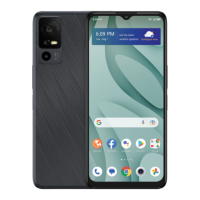
TCL 20 R 5G
T767H
Warning:
All features, functions, specifications, and other product information provided in this document,
including but not limited to the advantages, aesthetics, price, components, performance, availability
and capacity of the product are subject to change without notice.
TCL will not be responsible for any damage to the product, injury or other safety issue caused by the
result of repair by an unauthorized service provider, user repair or unprofessional product repair.
Any damage to the product resulted from an attempt to repair the product by any person or 3
rd
party
other than TCL authorized service provider will not be covered by warranty.

Questions and Answers

  • L
    Laura ThompsonAug 8, 2025
    Why is my TCL T767H Cell Phone lagging and how to fix it?
    • T
      Timothy MaddenAug 8, 2025
      If your TCL Cell Phone is lagging or freezing, try restarting it. Ensure the battery level is at least 20%. Clear running apps by touching the Menu key and selecting 'Clear all'. Uninstall unused apps to free up storage space and remove any third-party apps that might be causing the issue. For poor network connection, enable Airplane mode for a few minutes, then disable it, or move to a better location. As a last resort, try resetting or updating your device.
  • R
    Rachel GoodmanAug 21, 2025
    What to do if my TCL T767H keeps rebooting?
    • A
      Ann SmithAug 21, 2025
      If your TCL Cell Phone reboots by itself, and it happens during charging, use the official charger and data cable. If it occurs while using a third-party app, ensure the app is compatible with your device and Android version, or try uninstalling the app. If it happens while using a built-in app, try to reset or update your device. If it is due to anomalies in a file, continue to use the device normally.

Summary

Warning

Precautions

Maintenance Preparation

Factory Reset

Remove Google account before doing factory reset

Procedure to remove Google account to avoid setup issues after reset.

Factory Reset

Step-by-step guide to perform a factory data reset on the device.

Software Update

Troubleshooting

What should I do if my device reboots by itself?

Solutions for unexpected device reboots and restarts.

What should I do if my device system lags or freezes?

Steps to resolve system performance issues like lagging or freezing.

What should I do if my device cannot charge or charges slowly?

Troubleshooting tips for charging problems and slow charging.

Contact of TCL hotline and service centers

TCL T767H Specifications

General IconGeneral
BrandTCL
ModelT767H
CategoryCell Phone
LanguageEnglish

Related product manuals