
 Need help?
Do you have a question about the TCO S 113 and is the answer not in the manual?
Read precautions and operation information before using your portable wireless speaker. Retain for future use.
Loud sound can be harmful to hearing. Set speaker to a safe level BEFORE hearing adapts.
Avoid heat sources, dropping, service, disassembly, crushing, or puncturing.
Do not put speaker in contact with water or dust. Never immerse in water.
Clean with a soft, dry cloth. Refer to qualified technicians for maintenance.
Avoid electrical noise sources, follow connection instructions, do not remove casing.
Do not dispose of with household waste; recycle responsibly.
Do not dispose of batteries with household waste; follow return systems.
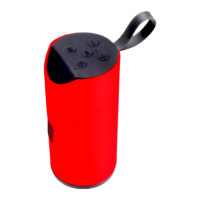
Identifies microphone, buttons (volume, play/pause), and lanyard.
Identifies TF card slot, 3.5mm jack, USB A port, and Micro USB port.
Highlights advanced chip, FM function, HiFi speakers, SD/USB support.
Select "Speaker S 113" in wireless connections to pair.
Details of DC 5V Micro USB, TF card, USB A, and AUX ports.
Explains Power ON/OFF and Volume buttons for music and FM.
Controls playback, calls, and FM search.
Switches between wireless, FM radio, TF card, Line in, USB modes.
Charge battery fully, use micro USB for charging, use USB cable for FM antenna.

 To Next Page
 General