5
Version Number
The WOWSound Version Number can be found by reading the value in CV 248. This is necessary when
looking up information in the TCS WOWSound section of our website.
Audio AssistTM
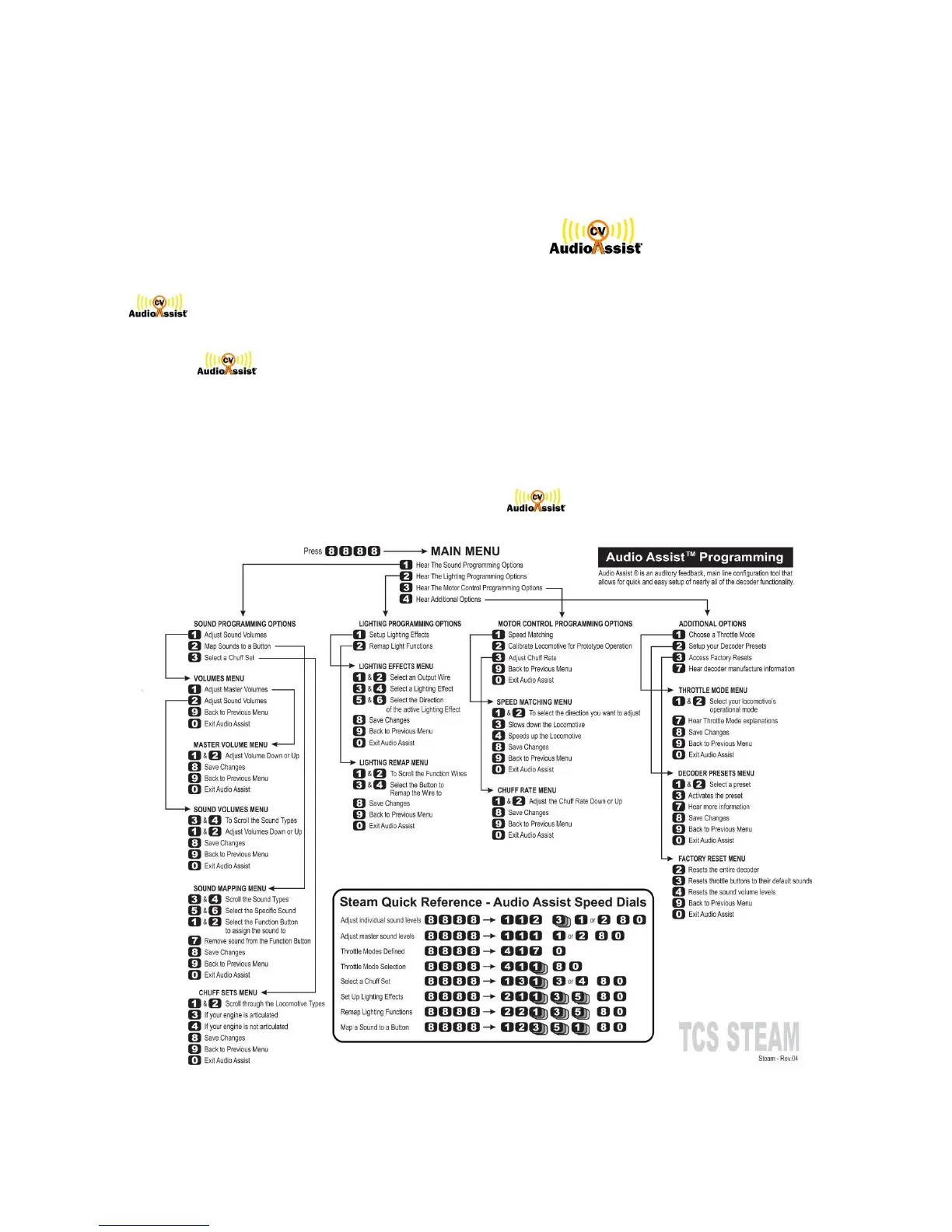
is an auditory feedback, main line configuration tool that allows for quick and easy
set-up of nearly all the sound functionality.
To enter , stop your locomotive on an operational track and press function button 8 in
rapid succession 4 times. The decoder will start talking to you giving you a menu similar to a
telephone answering machine. Just follow the verbal instructions to adjust or remap many of
the sound options. When you have made a selection press 8 to save each selection and then
press 0 to get “Goodbye” and exit.
NOTE: Please view our instructional video about on our website.



 To Next Page