EasyManua.ls Logo

Teac CRX-195 - User Manual

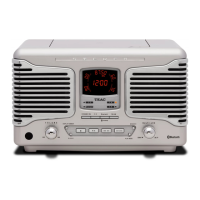
Teac CRX-195
8 pages
Print Icon
To Next Page IconTo Next Page
Loading...
Alarm Clock Radio
Thanks for buying a TEAC. Read this manual carefully to get the best
performance from this unit.
Question and Answer IconNeed help?

Do you have a question about the Teac CRX-195 and is the answer not in the manual?

Summary

IMPORTANT SAFETY

Safety Considerations

General precautions for safe operation, placement, and handling of the apparatus.

Electrical Safety Information

Specifies voltage requirements and compatible mains supply for safe operation.

LOCATION OF CONTROLS AND INDICATORS

Back Panel Controls

Identifies and describes controls and indicators on the back panel of the unit.

Top Panel Controls

Identifies and describes controls and indicators on the top panel of the unit.

Front Panel Controls

Identifies and describes controls and indicators on the front panel of the unit.

POWER SOURCE AND BATTERY MANAGEMENT

Power Source Requirements

Details the unit's AC power requirements and the backup battery system.

Battery Installation and Maintenance

Provides instructions for installing, using, and caring for the backup battery.

Display Brightness and Power Failure

Explains dimmer control and how power failure affects the display.

OPERATING THE CLOCK AND RADIO

Setting the Clock Time

Step-by-step guide to setting the current time on the alarm clock radio.

Radio Tuning and Reception

Instructions for tuning AM/FM stations and tips for best radio reception.

Auxiliary Audio Input

Guide for connecting and using external audio devices via the auxiliary input.

ALARM FUNCTIONS AND SETTINGS

Setting Alarm Times

Instructions for setting alarm times for buzzer, AM, or FM radio wake-ups.

Wake to Radio Setup

Configuration details for alarms that wake the user with AM or FM radio.

Wake to Buzzer Setup

Instructions for setting the alarm to sound a buzzer upon waking.

ADVANCED FEATURES AND SPECIFICATIONS

Wake to External Audio Device

Guide for setting the alarm to play an external audio device.

Snooze Operation

Explains how to use the snooze function during an active alarm.

Sleep Timer Function

Instructions for programming the unit to turn off automatically after a set time.

Technical Specifications

Lists the technical details, power supply, output, and frequency range of the unit.

Summary

IMPORTANT SAFETY

Safety Considerations

General precautions for safe operation, placement, and handling of the apparatus.

Electrical Safety Information

Specifies voltage requirements and compatible mains supply for safe operation.

LOCATION OF CONTROLS AND INDICATORS

Back Panel Controls

Identifies and describes controls and indicators on the back panel of the unit.

Top Panel Controls

Identifies and describes controls and indicators on the top panel of the unit.

Front Panel Controls

Identifies and describes controls and indicators on the front panel of the unit.

POWER SOURCE AND BATTERY MANAGEMENT

Power Source Requirements

Details the unit's AC power requirements and the backup battery system.

Battery Installation and Maintenance

Provides instructions for installing, using, and caring for the backup battery.

Display Brightness and Power Failure

Explains dimmer control and how power failure affects the display.

OPERATING THE CLOCK AND RADIO

Setting the Clock Time

Step-by-step guide to setting the current time on the alarm clock radio.

Radio Tuning and Reception

Instructions for tuning AM/FM stations and tips for best radio reception.

Auxiliary Audio Input

Guide for connecting and using external audio devices via the auxiliary input.

ALARM FUNCTIONS AND SETTINGS

Setting Alarm Times

Instructions for setting alarm times for buzzer, AM, or FM radio wake-ups.

Wake to Radio Setup

Configuration details for alarms that wake the user with AM or FM radio.

Wake to Buzzer Setup

Instructions for setting the alarm to sound a buzzer upon waking.

ADVANCED FEATURES AND SPECIFICATIONS

Wake to External Audio Device

Guide for setting the alarm to play an external audio device.

Snooze Operation

Explains how to use the snooze function during an active alarm.

Sleep Timer Function

Instructions for programming the unit to turn off automatically after a set time.

Technical Specifications

Lists the technical details, power supply, output, and frequency range of the unit.

Teac CRX-195 Specifications

General IconGeneral
CategoryClock Radio
BrandTeac
ModelCRX-195
Tuner BandsAM/FM
CD PlayerYes
Display TypeLCD
Power SourceAC Power
Radio BandsAM, FM
Presets20
Alarm FeaturesDual Alarm, Snooze

Related product manuals