Wall Mounting Information
Stand and wall-mounted (optional)
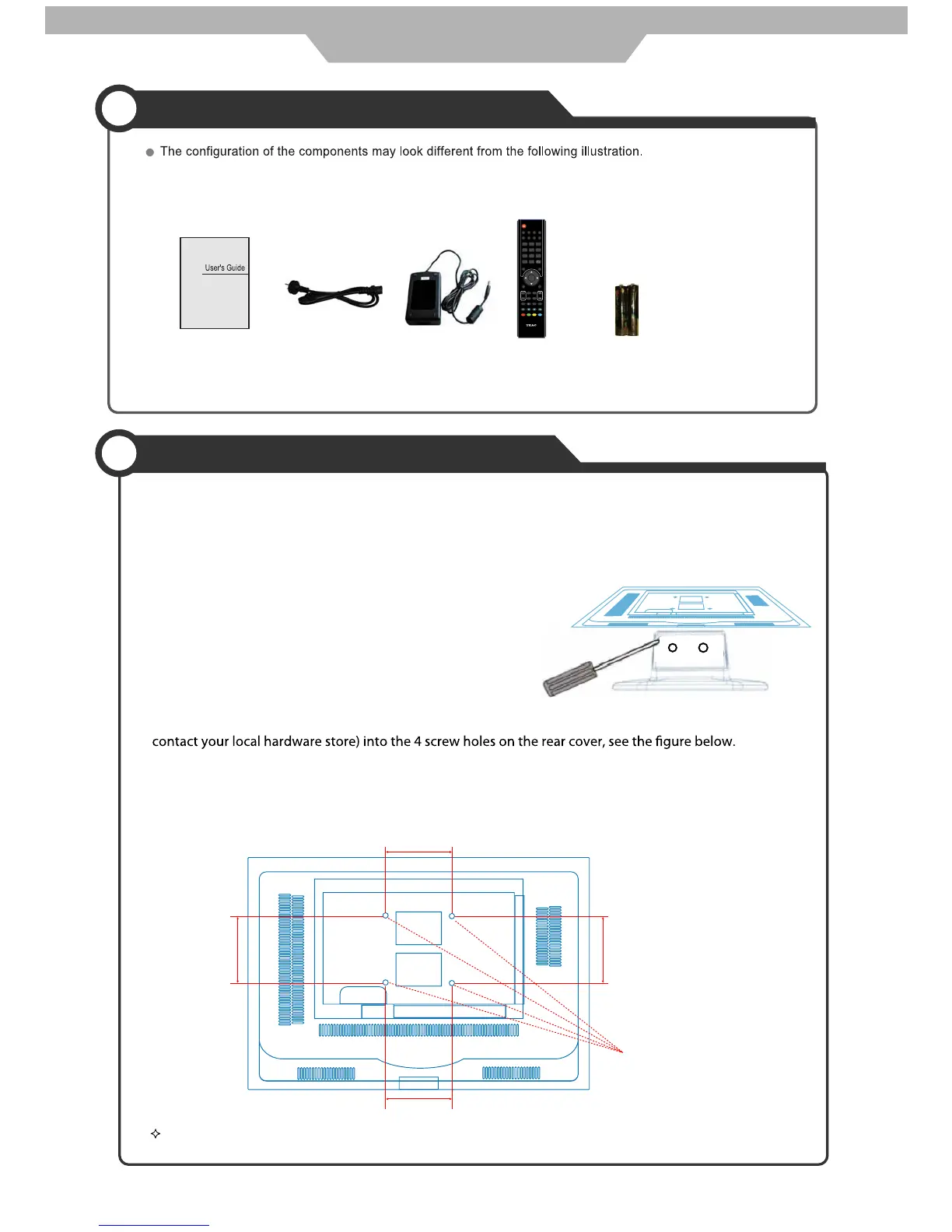
Your LCD TV is able to accommodate wall mounting with the use of a wall mount bracket (not supplied with LCD TV, please
contact your local hardware store) and the mounting holes on the back of the unit.
We recommend removing the TV stand prior to wall mounting the TV. Please refer to the figure and the procedure below.
How to remove/re-install the stand
How to mount the LCD TV on the wall
Follow instructions below to remove the base of the TV:
1. Place the unit (face down) on a soft blanket.
2. Loosen and remove the 2 screws securing the stand to the
TV set, as per the diagram to the right.
3. Gently remove the stand.
4. To re-install the stand, place the unit (face down) on a soft
blanket and reverse instructions as above.
1. After detaching the stand, fasten 4 mounting screws (thread size M4X10 - not supplied! Please
2. Fasten wall mounting bracket (Not supplied with LCD TV, please contact your local hardware store)
with screws on the wall.
3. Carefully check for the strength before releasing the LCD TV.
NOTE: For more detailed instructions please refer to your “after market” wall mounting instruction book.
Thread hole size – M4 x 10 depth (TV mounting screw size) on the TV.
User’s Guide Power Cable Adaptor Remote Control
REVEAL
INPUT
POWER
TV/TXT CANCEL
HOLD SIZE INDEXSUBPAGE
123
456
789
0
OK
FAV
MENU
NICAM/A2
TV/RADIO
EXIT
CH
INFO
PICTURE
SOUND
SLEEP
SUBTITLE
DTV
CH/LIST
STOP
VOL
REP
EPG
USB
ASPECT
+
-
MUTE
118020260
Accessories
Screw holes
100mm
100mm
100mm 100mm
General Description
6
2 x AAA Battery



 To Next Page