OSD Menu
Delete :
Move:
Skip:
Select the channel to delete and press the
Choose “Yes” to confirm the deletion, or “No” to cancel.
RED button. A confirmation message will pop up.
Select the channel to be moved and press the BLUE button. Use the CH+/- buttons to
change the channel position. Press the BLUE button again to confirm the change. Press
the MENU button to save and exit.
Select a channel and press the GREEN button to mark the channel. As long as the channel has
a skip label, it will be skipped when you search through the channels with the CH+/- buttons.
17
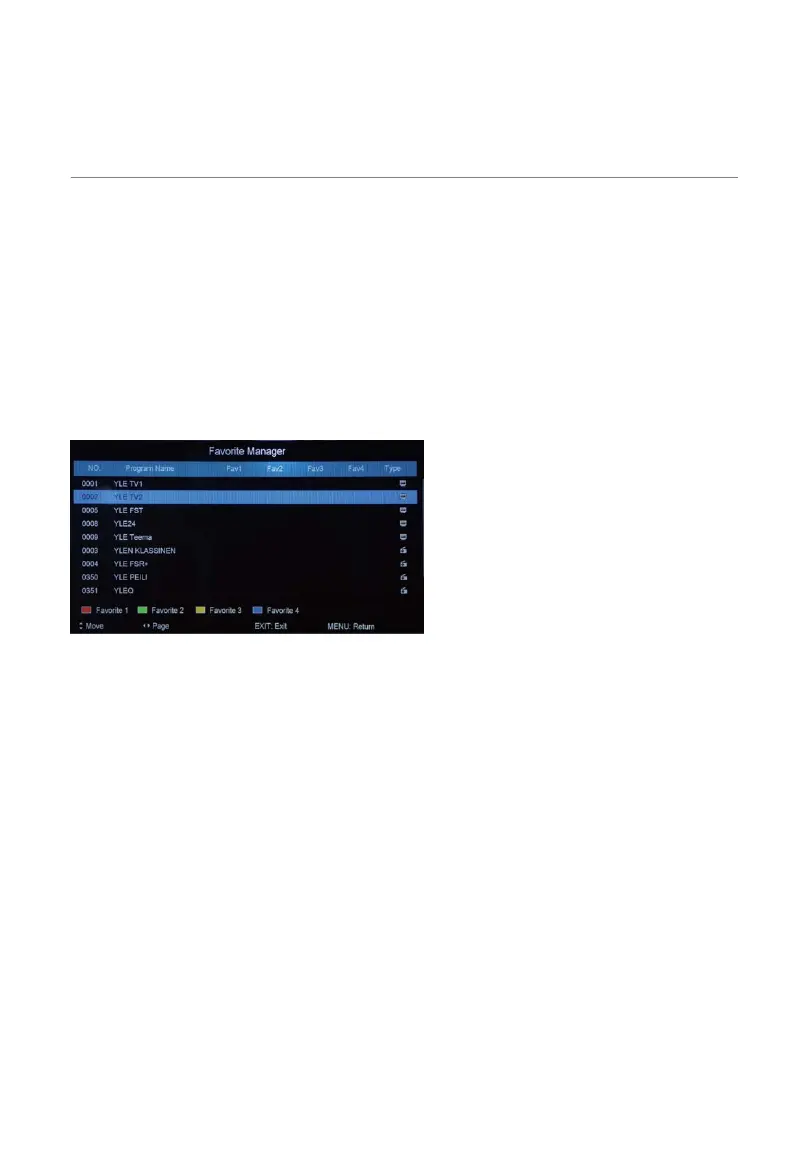
Favorite Manager
)LUVWSUHVVźŸEXWWRQWRKLJKOLJKWDGHVLUHGFKDQQHO
3UHVVWKH5HGEXWWRQWRVHWLWWRWKH)DYRXULWHJURXS
3UHVVWKH*UHHQEXWWRQWRVHWLWWRWKH)DYRXULWHJURXS
3UHVVWKH<HOORZEXWWRQWRVHWLWWRWKH)DYRXULWHJURXS
3UHVVWKH%OXHEXWWRQWRVHWLWWRWKH)DYRXULWHJURXS
Signal Information
'LVSOD\VWKHVLJQDOLQIRUPDWLRQLQ'79PRGH



 To Next Page