Stand and wall-mounting instructions (optional)
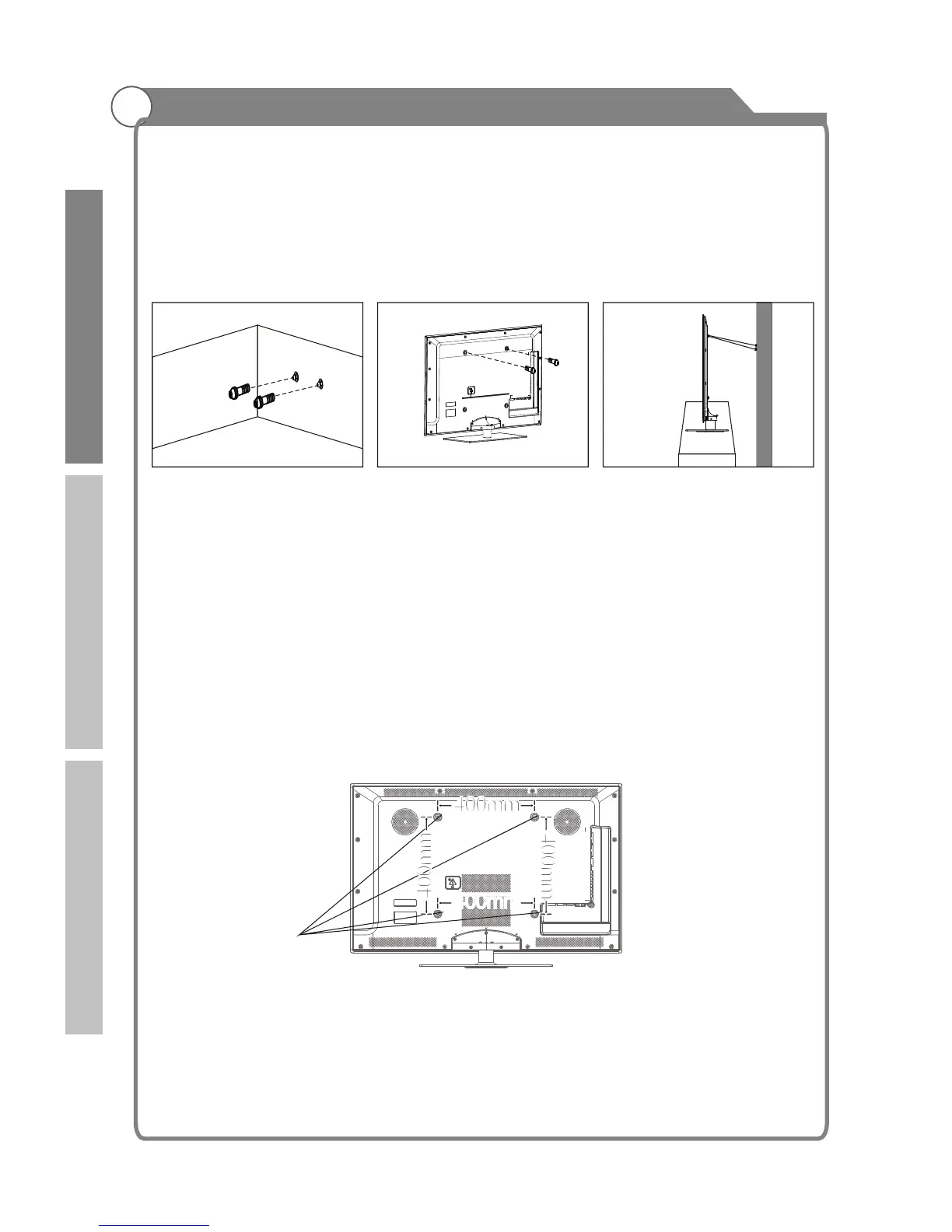
3 - Connect the clamps fixed onto the TV and the clamps fixed onto the wall with a strong
cable.
- Install the TV near to the wall so that it does not fall backwards.
- It is safe to connect the string so that the clamps fixed on the wall are equal to or
lower than the clamps fixed on the TV.
- Remove the cable before moving the TV.
4 - Verify all connections are properly secured. Periodically check connections for any
sign of fatigue for failure. If you have any doubt about the security of your connections,
contact a professional installer.
(optional)
Your LCD TV is able to accommodate wall mounting with the use of a wall mount bracket
(not supplied with LCD TV, please contact your local hardware store) and the mounting
holes on the back of the unit.
We recommend removing the TV stand prior to wall mounting the TV. Please
How to mount the LCD TV on the wall
1.After detaching the stand, fasten 4 mounting screws (thread size M8X10 - not supplied!
Please contact your local hardware store) into the 4 screw holes on the rear cover, see
the figure below.
2.Fasten wall mounting bracket (Not supplied with LCD TV, please contact your local
hardware store) with screws on the wall.
3.Carefully check for the strength before releasing the LCD TV. NOTE: For more detailed
instructions please refer to your “after market” wall mounting instruction book.
. Thread hole size – M8 x 10 depth (TV mounting screw size) on the TV.
Wall mounting instructions
see previous
page for instructions on removing the stand.
8
Wall
Screw holes
400mm
400mm
400mm
400mm
Introduction
Basic operation
Reference



 To Next Page