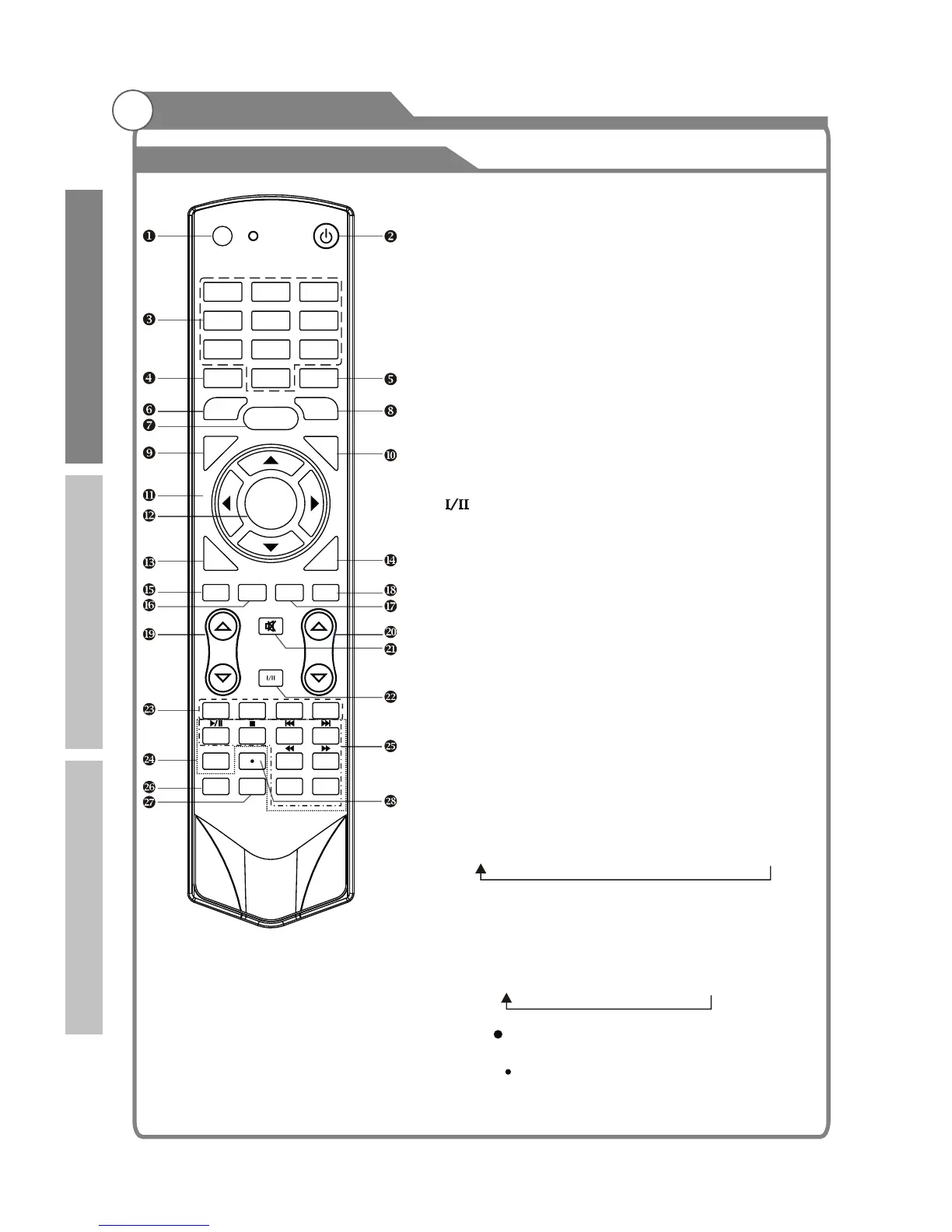
Overview of remote control
General Description
17. USB: Switch to USB mode directly or call the
control menu in USB mode. Please see the
details in “Digital Media Player” on
: Press this button to switch the screen
mode.
19.
22. Button/Audio Lang: source
source
Digital media player control button:
play/pause, stop, previous file, next file, page up,
page down, back, forward, is used to control in
USB mode.
Please refer to instructions in the section
of multimedia player.
26. SOUND: This button is used to select the sound
mode.
27. PICTURE: This button is used to adjust user
picture mode, press this button repeatedly and
select one of four settings.
Rec ( )
When the disk was formatted by PVR file system,
press “ ” button to start record TV program.
Page 40/
Page41/Page42.
18. ASPECT
VOL and VOL: Press these buttons to
adjust TV volume.
20. PROGand PROG: Press these buttons to
change channel upward or downward.
In the teletext, these buttons are used to
display the next page and previous page.
21. MUTE: Press this button to shut off sound of the
TV, press again to restore TV sound.
In ATV , the button
is used to set NICAM sound system.
In DTV , the button is used to set the audio
language.
23. Red/Green/Yellow/Blue Command: These four
buttons are used to request linked buttons with the
current menu/page.
24. Teletext buttons: Detail operation please refer to
"Teletext “ in the next page.
25. Including
relevant
28.
Standard" Music" Movie" Sports" User
Standard" Mild" User " Sports
12
OK/
REC LIST
ASPECT
REC
SOUND
AUDIO LANG
VOL
PROG
MENU
1 2 3
4 5
6
7
8
9
0
INFO
RECALL
FREEZE
SLEEP
E
X
IT
HOLD
SIZE
REVEAL CANCEL
PICTURE
MUTE
INPUT
POWER
TEXT
SUBTITLE
TIME
SUBCODE
F
A
V
CH
.
L
I
ST
GU
IDE
DTV HDMI
USB
INDEX
PgUp PgDn
RED GREEN
YELLOW
BLUE
Introduction
Basic operation
Reference



 To Next Page