3D Left Right 3D Up down 3D -Off 3D - 2D 2D - 3D 3D Clarity 3D Auto 3D Engine
Enter Sub Back MainSyncView
DTV
ATV
AV
YPbPr
VGA
HDMI1
HDMI2
HDMI3
HDMI4
Sub Channel
Back MainSub Channel
Enter SubSub Channel
Enter Sub
Back Main
SyncView
3D Left Right 3D Up down 3D -Off 3D - 2D 2D - 3D 3D Clarity 3D Auto 3D Engine
SyncView
3D Left Right 3D Up down 3D -Off 3D - 2D 2D - 3D 3D Clarity 3D Auto 3D Engine
Digital Media Player
41
Media Playback
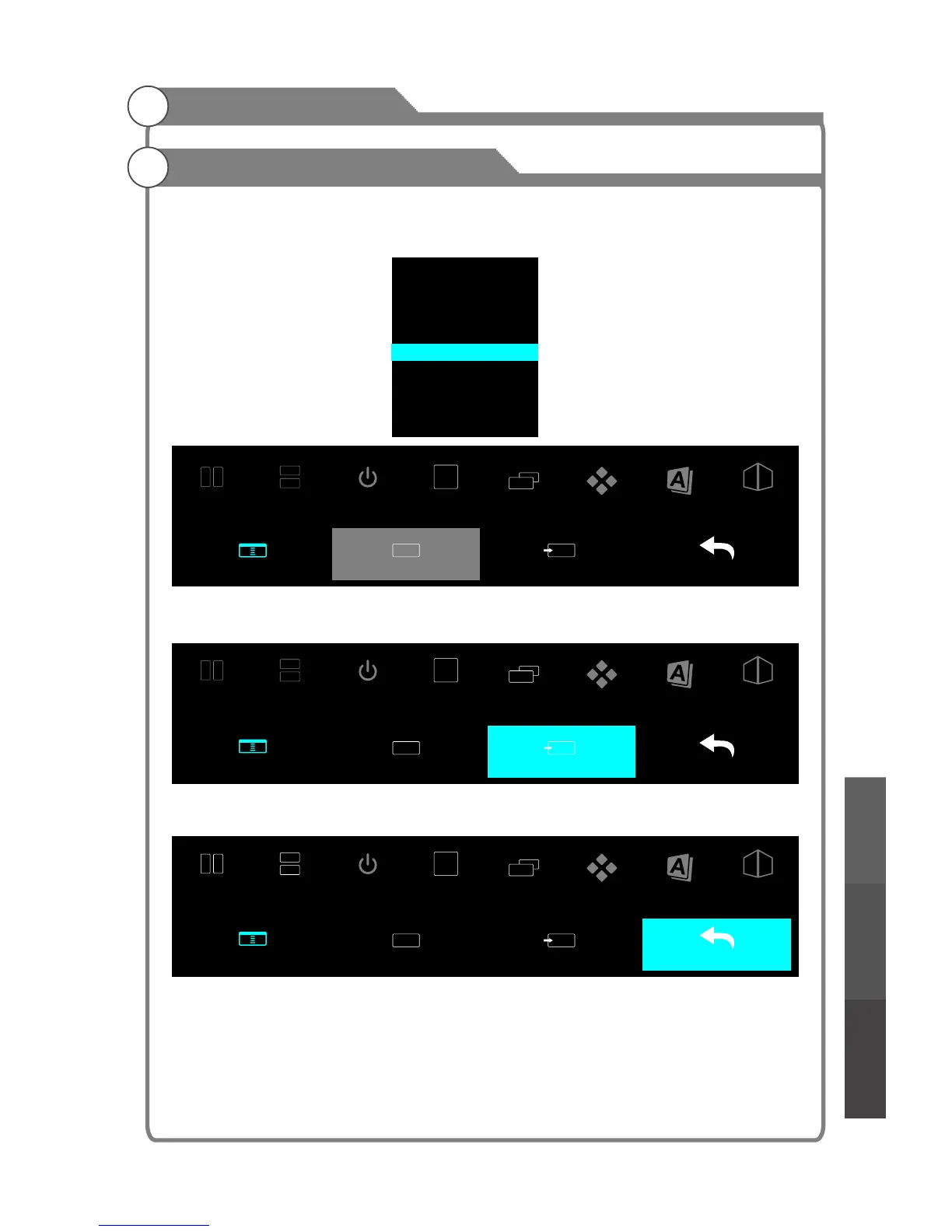
Select the Sub Channel item and press OK to open the Sub Channel selection menu.
Press p/q key and press OK to select a channel.
Select the Enter Sub item and press OK to enter the sub channel you want.
Select the Back Main item and press OK to exit sync view.
Use the DUO PLAY glasses with Sync View,
“ ”
Digital Media PlayerTroubleshooting
Picture defects and
the reason



 To Next Page