Menu operation
Network connection(Wired/Wireless/PPPOE/WLAN HP)
The instant network page browsing gives you quick and easy access to information. Surfing
on the web with infinite pleasure.
Basic Operation
23
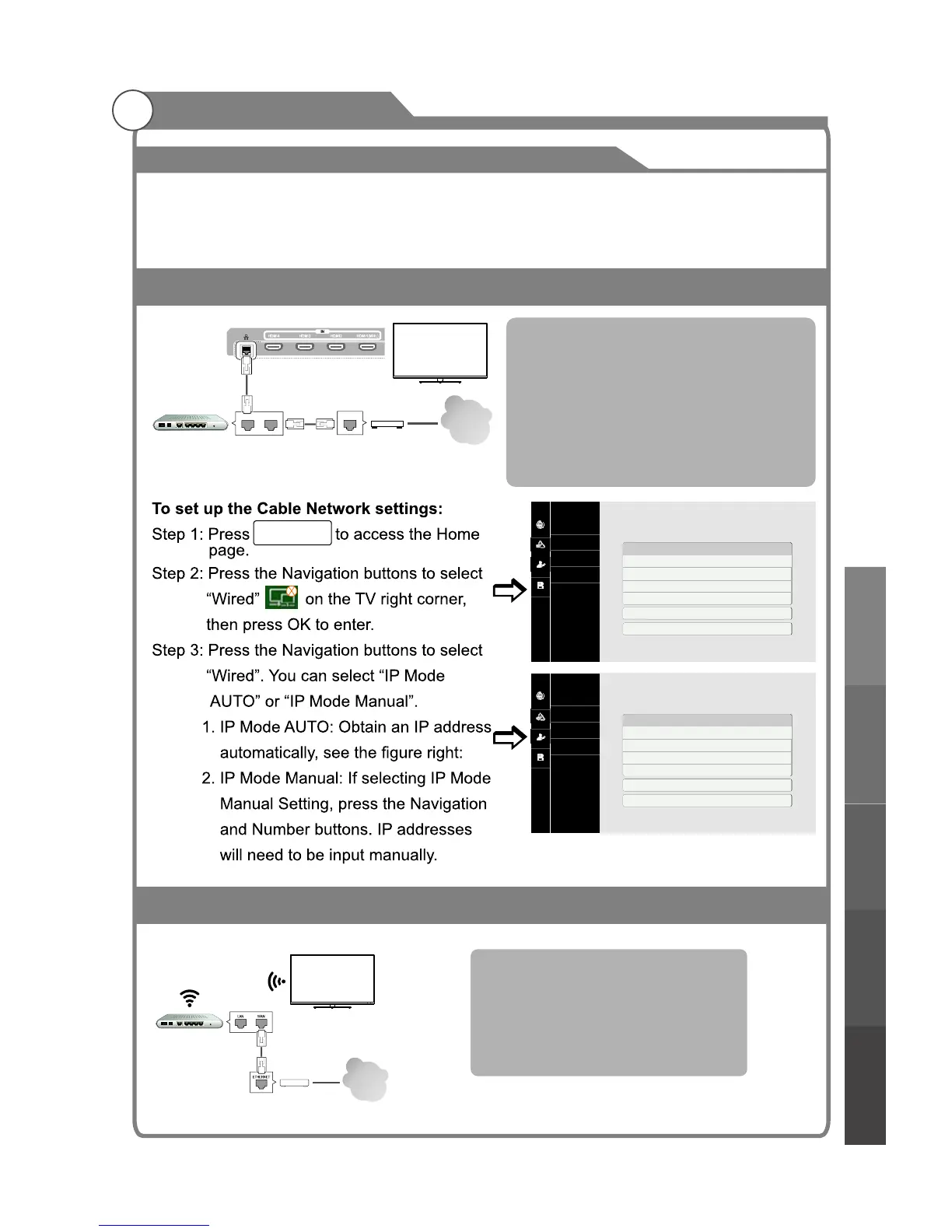
Cable Network
Internet
Connect the TV to a local area network
(LAN) via the LAN port as shown in the
left illustration and set up the network
settings.
If wired and wireless networks are both
available, wired is the preferred method.
LAN WAN
ETHERNET
Cable Modem
Network
System
Individual
Storage
Wired
Wireless
PPPOE
WLAN HP
Cable Network
IP Mode Auto
IP Address 192.168.8.214
Subnet Mask 255.255.255.0
Default Gateway 192.168.8.254
DNS Server 192.168.2.128
Set
Network Detection
Network
System
Individual
Storage
Wired
Wireless
PPPOE
WLAN HP
Cable Network
IP Mode Manual
IP Address 192.168.8.214
Subnet Mask 255.255.255.0
Default Gateway 192.168.8.254
DNS Server 192.168.2.128
Set
Network Detection
Smart TV
Back of Smart TV
Router
Cable
Cable
MEDIA CENTER
Wireless
Internet
Connect the TV to a local area network
via wireless, the wireless router is
required before connecting the TV to the
network, see the left illustration and set
up the network settings.
Smart TV
Router
Cable Modem
Cable
Basic operationMenu system
instruction
Digital Media PlayerTroubleshooting
Picture defects and
the reason



 To Next Page