12
OSD Menu
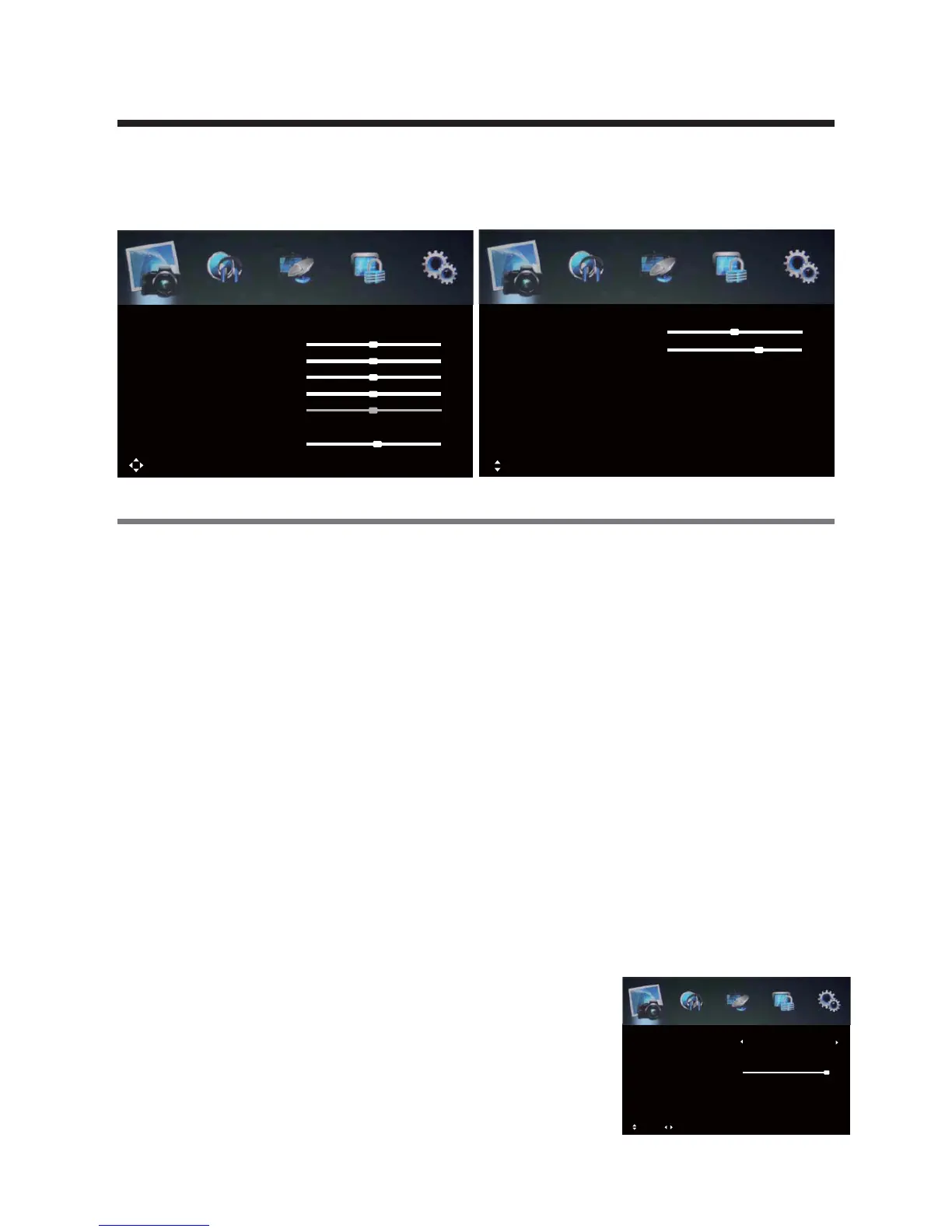
1.PICTURE menu
Description
Picture Mode: There are four preset settings to choose from: Standard, Dynamic,
Personal and Mild.
Note: Custom settings are saved into Personal Mode.
Contrast: Adjust the difference between the brightest and darkest regions of the picture.
Brightness: Adjust the overall brightness of the picture.
Sharpness: Increase this setting to see Sharp edges in the picture; decrease it for softer
edges.
6cS(1]\b`]ZabVSbW\b<BA1[]RS]\Zg
Color Temp: Choose from Stand, Cool, Personal and Warm.
Red: Controls the red colour of the picture.
Green: Controls the green colour of the picture.
Blue: Controls the blue colour of the picture.
Aspect Ratio: Choose from Full, Dot to Dot, 4:3.
Screen Mode: 1、While playing music, press this button to turn off the LED TV screen.
2、EVWZSW\62;7W\^cb^`SaabVWaPcbb]\b]QVO\USPSbeSS\DWRS]O\R>1[]RS
3、While in VGA(PC) input, press to auto-align screen.
Picture display settings can be altered as desired. The following options are adjustable:
Move MENU: Return EXIT: Exit
Saturation
Sharpness
Contrast
Brightness
Picture Mode
Picture
Standard
50
50
50
50
Red
51
Move OK: Select MENU: Return EXIT: Exit
Green
Picture
50
Advanced Settings
Aspect Ratio
Blue
57
Full
Screen Mode
Auto
Color Temp
Hue
0
Standard
Saturation: Adjust the saturationof the color based on your own like.
Backlight: Adjust the overall backlight of the picture.
Advanced Settings: Adjustadvanced video features to fine
tune the picture.
Move Adjust OK: Select MENU: Return EXIT: Exit
Backlight
Dynamic Contrast
MPEG NR
NR
Advanced Settings
10
Medium
Medium
Medium
NR: Set options to reduce video noise from Off, Weak,
Medium, Strong.
Note: Different aspect ratios are available depending on the input source.
Dynamic Contrast: Available Dynamic Contrast from Off,
Weak, Medium, Strong.
MPEG NR: Set options to reduce MPEG noise from Off,
Weak, Medium, Strong.



 To Next Page