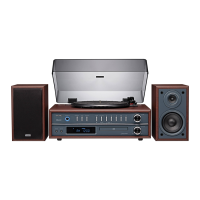
Gently open the dust cover.
1. Lift the dust cover all the way up until it stop, the cover will now stay open.
2. Remove white protective needle cover by gently pulling towards the front of the unit.
3. Release tone arm HOLD DOWN CLIP by gently pushing to the right. This will unlock
TONE ARM from its arm rest. Re-lock the HOLD DOWN CLIP when moving the unit to
another location.
Turntable Operation
1. Press and toggle the SOURCE button on the front of the unit to switch to PHONO
mode.
2. Set the SPEED SELECTOR to the correct speed (33, 45 or 78rpm).
3. Place the record on the turntable.
4. Move the TONE ARM to the desired starting point on the record. The record will start
playing.
5. Turn the VOLUME CONTROL to adjust the volume to the desired level.
6. Slide the AUTO STOP CONTROL SWITCH to choose the auto stop function.
7
NB:
Sound output of the built-in amplifier is limited, when playing records, to avoid feedback
and rumble. This is normal, so keep the volume as low as possible on the unit, and rather
increase volume on external amplifier.
. At the end of the record, the TONE ARM will stop automatically. You must return the
TONE ARM to TONE ARM REST manually.
PHONO Operation
8
Saving an FM Radio Station
1. Follow the instructions for Tuning the FM Radio.
2. Adjust the TUN+ / or TUN- / controls to tune the FM radio to the desired
station.
3. Press the P-MODE / MEM button on the front of unit, flash MEM icon and preset
number P01 will appear on the LCD display, indicating which preset the current station
will be saved to.
4. Press the M+ / or M- / buttons to select preset number.
5. Press again the P-MODE/MEM button to confirm saved.
6. Repeat above steps 2 - 5 to preset up to 20 stations.
7. To retrieve one of the preset stations already programmed, press M+ / or M- /
buttons repeatedly until you reach the desired program number of the station.



 To Next Page