ENGLISH FRANÇAIS
22
Listening to CDs Lecture des disques cmpacts
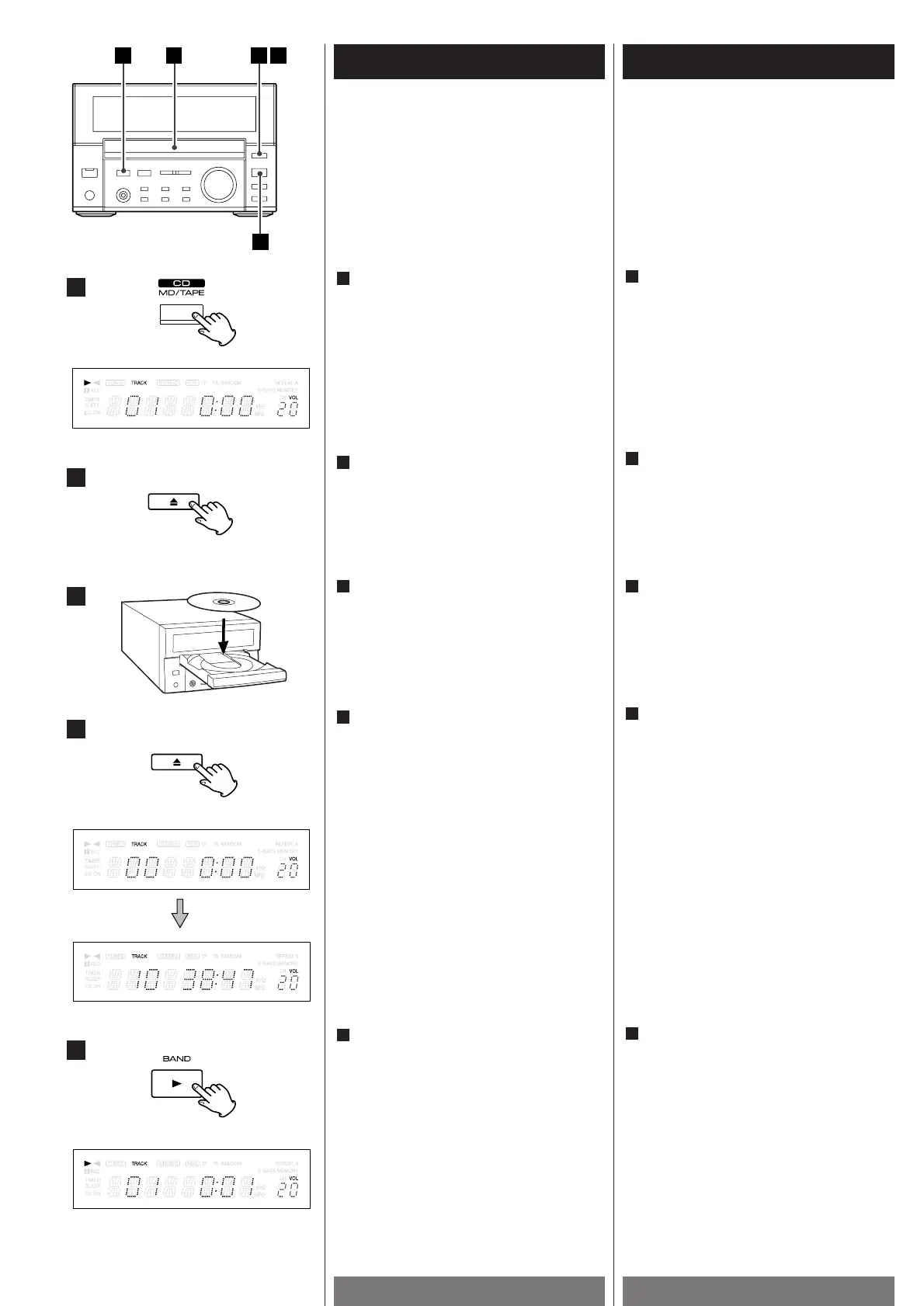
"TRACK: 00" will be displayed if no disc is set.
Press the OPEN/CLOSE button (L).
2
Place a disc on a tray with the printed
surface upside.
3
Press the OPEN/CLOSE button (L ) to
close a tray.
4
Press the PLAY button(G).
Playback starts from the first track.
5
The total number of the tracks and total
play time of the disc is displayed.
S'il n'y a pas de disque dans le lecteur,
l'indication "TRACK: 00" s'affiche
Appuyez sur la touche OPEN/ CLOSE
L
(Ouverture/Fermeture).
2
Placez un disque sur la platine, face
imprimée vers le haut.
3
Appuyez sur la touche OPEN/ CLOSE(L)
pour fermer le plateau porte-disque.
4
Appuyez sur la touche PLAYGG
(Lecture).
La lecture commence par le premier titre
du disque.
5
Le nombre total de plages et la durée
totale de lecture du disque s'affichent.
3
4
5
2
1



 To Next Page