setting) will be erased.
1
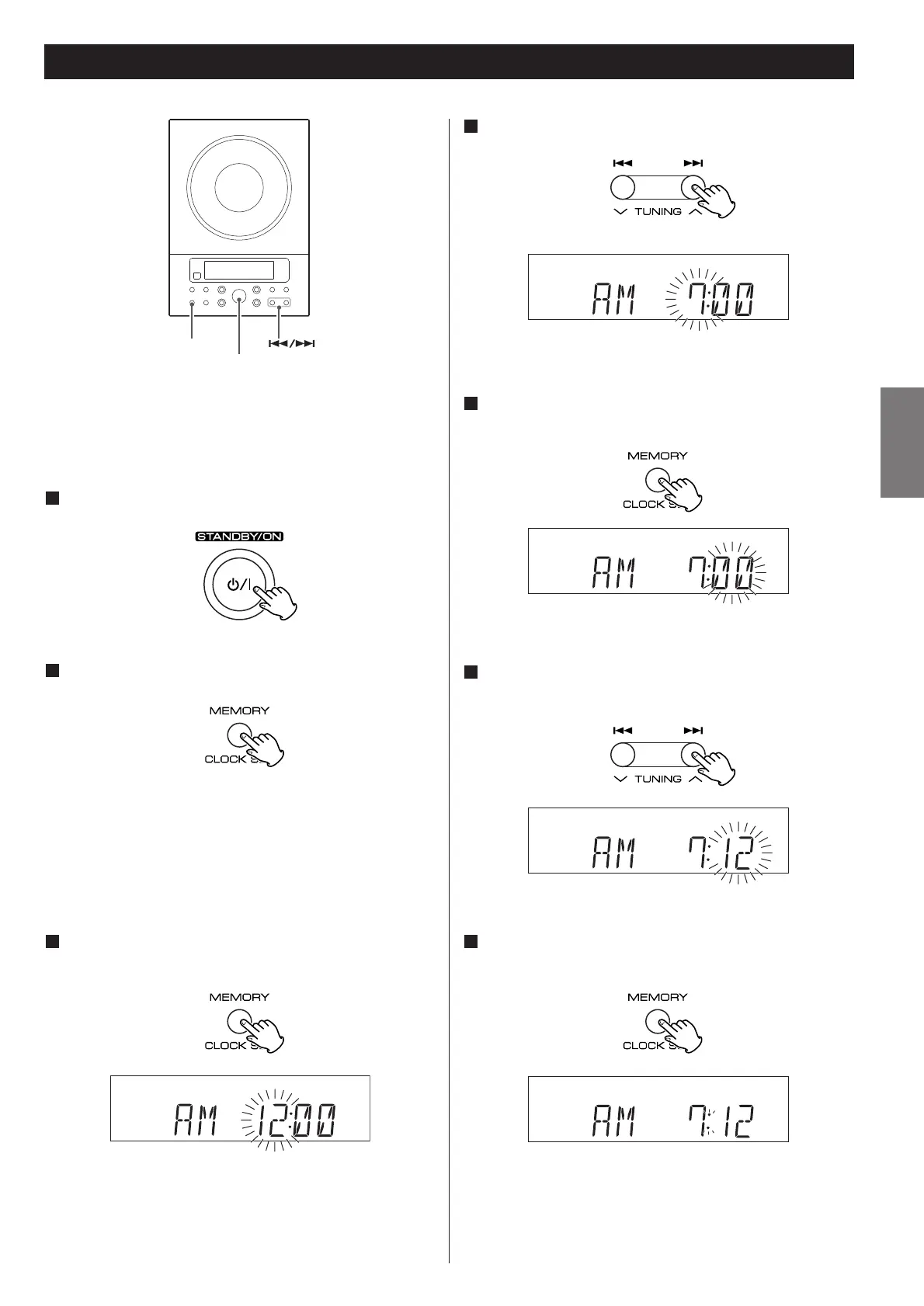
If the unit is on, press the STANDBY/ON switch to turn
it standby
2
Press and hold down the CLOCK SET button.
“12 HOUR” or “24 HOUR” blinks. If you want to change the
hour mode, press the .
or/ button.
<
If no button is pressed for 10 seconds, the time setting mode
will be cancelled.
3
Press the CLOCK SET button once more.
The “hour” value blinks.
4
Press the SKIP button (.//) to set the current
hour.
5
Press the CLOCK SET button.
The “minute” value blinks.
6
Press the SKIP button (.//) to set the current
minute.
7
Press the CLOCK SET button.
The clock starts.
ENGLISH
19



 To Next Page