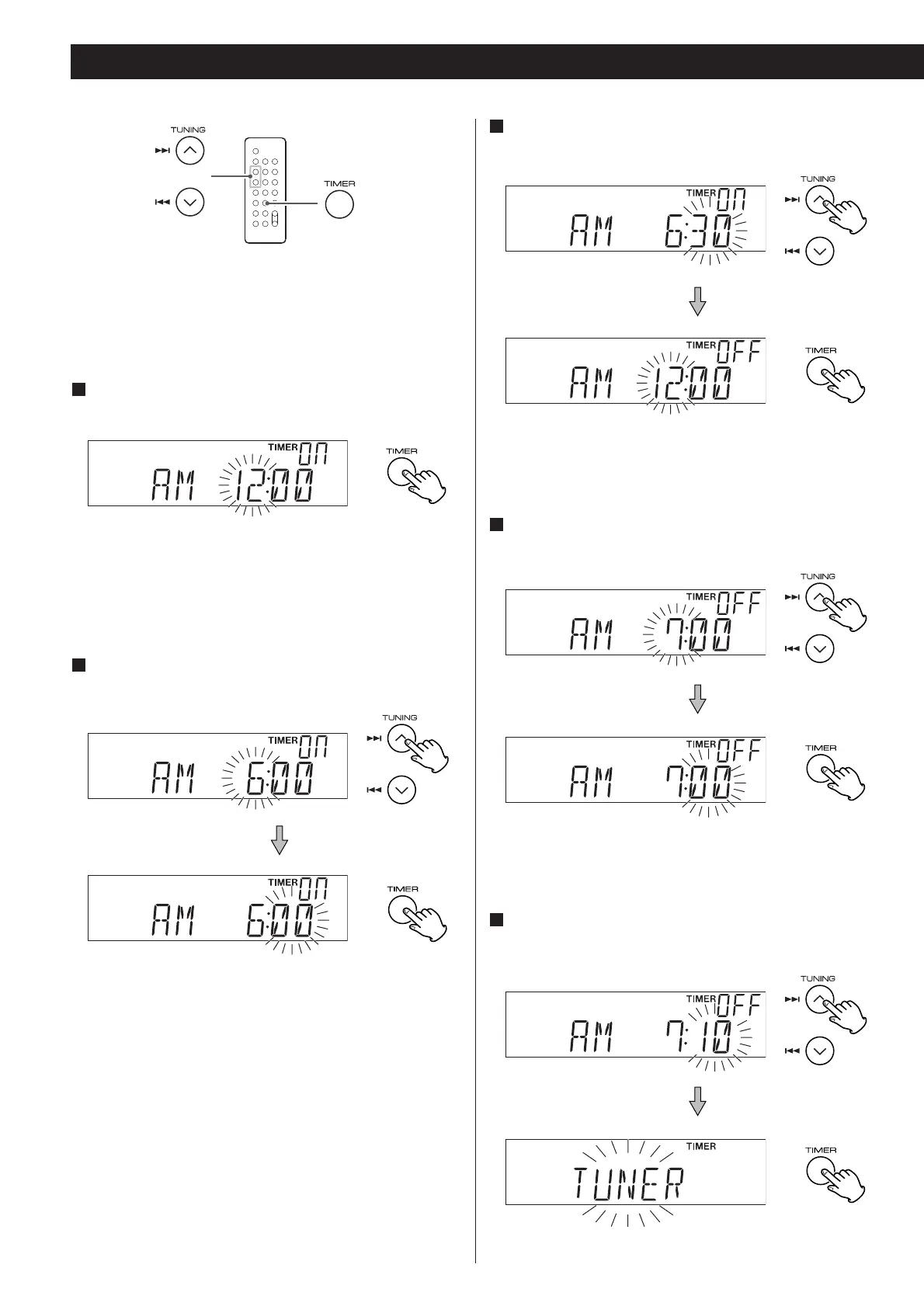
< The unit can be programmed to turn on and off at a specified
time.
<
Adjust the clock before setting the timer.
1
Press and hold the TIMER button until the TIMER
indicator and “ON” appear on the display.
The “hour” value starts flashing.
<
When no button is pressed for 10 seconds, the timer setting
mode will be cancelled.
2
Press the SKIP button (.//) to set the start time
(hour), and then press the TIMER button.
The “minutes” value starts flashing.
3
Press the SKIP button (.//) to set the start time
(minute), and then press the TIMER button.
“TIMER” and “OFF” indiactors appear on the display and the
“hour” value starts flashing.
4
Press the SKIP button (.//) to set the stop time
(hour), and then press the TIMER button.
The “minutes” value starts flashing.
5
Press the SKIP button (.//) to set the stop time
(minute), and then press the TIMER button.
20



 To Next Page