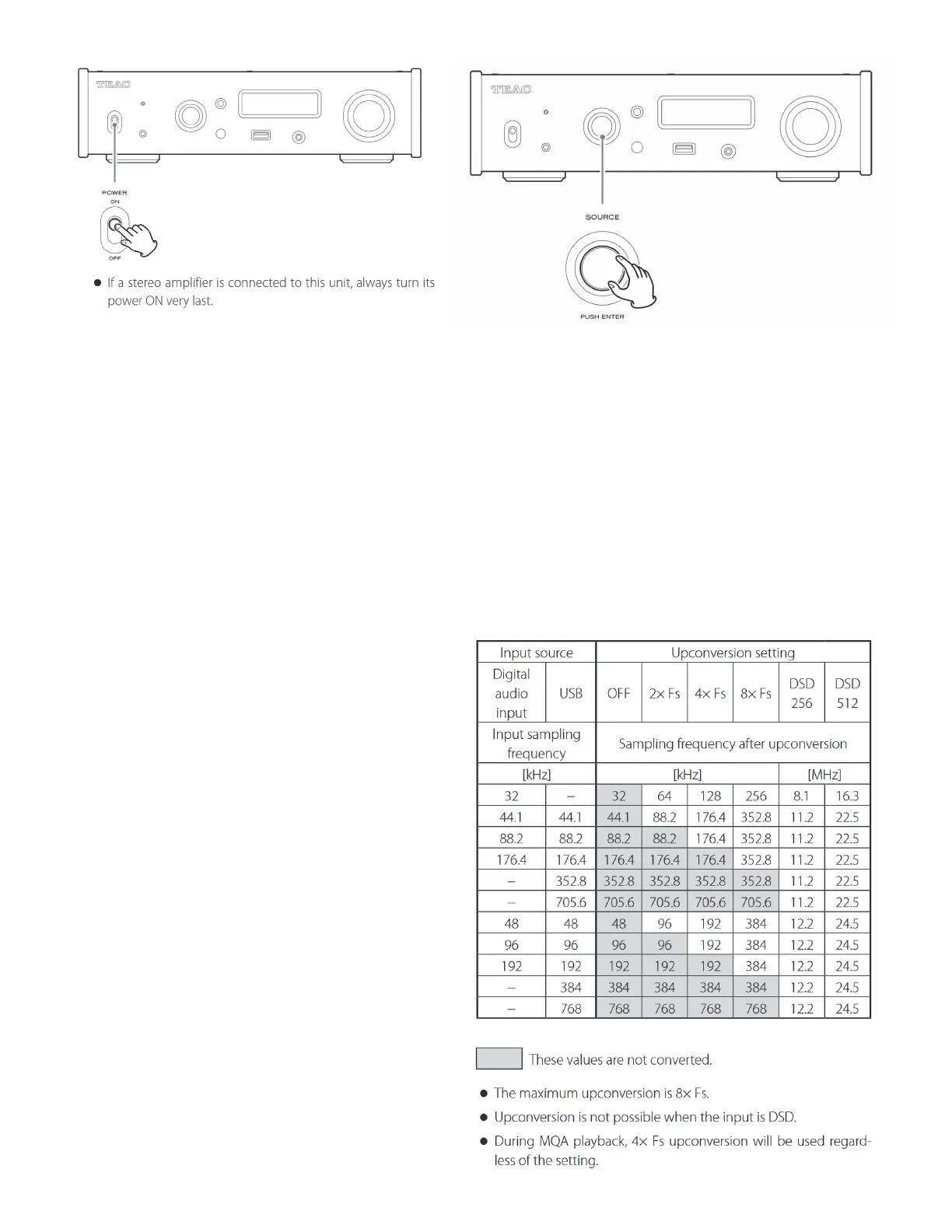
Powering On and Settings.
To turn the unit, make sure the power plug is plugged in securely, and then ip the power switch! On the front of the device
you have two knobs and a button. The large knob to the right just controls the volume of the device. The knob to the left of
the screen (labeled “source”) and the small button next to it (labeled “menu”) is how you will be able to change your device
settings. Just turning this knob will scroll through the inputs selection menu. Select the input you want by scrolling through
the options and then stopping on the source you wish to use. After a few seconds the NT505 will update accordingly.
Pressing in on the “menu” button will open your settings menu. Scroll through the settings with the “source knob” to select
the setting to modify.
Press the “Source” knob to select the setting to change. Turn the knob to select the option you want, and then press the
source knob in again to set your change.
The menu option are as follows:
Auto-Power Saving
▪ On- Device will go into standby after a period of inactivity.
▪ O- Device will stay on until turned o.
Version Info
▪ Displays current rmware and driver information for
your device
Upconvert
▪ Upconverts your music to sound like a higher resolu-
tion le
○ O
○ 2X ltering
○ 4x ltering
○ 8x ltering
DSD 256
DSD 512
DigitalFilter(PCM)
Changes the roll of and sound signature of this device.
▪ O (No additional FIltering)
▪ Sharp roll o
▪ Slow roll o
▪ Short Delay Sharp
▪ Short Delay Slow
▪ Low Dispersion



 To Next Page