EasyManua.ls Logo

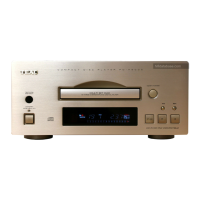
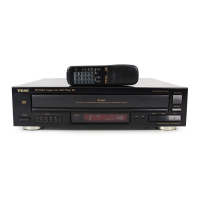
Teac PD-H500 - User Manual

Teac PD-H500
44 pages
Print Icon
To Next Page IconTo Next Page
Loading...
pd-h500
`
COMPACT DISC PLAYER
9A06054300
This appliance has a serial number located
on the rear panel. Please record the model
number and serial number and retain them
for your records.
Model number
Serial number
WARNING: TO PREVENT FIRE OR SHOCK
HAZARD, DO NOT EXPOSE THIS
APPLIANCE TO RAIN OR MOISTURE.
The exclamation point within an equilateral triangle is intended to alert the user to the
presence of important operating and maintenance (servicing) instructions in the literature
accompanying the appliance.
The lightning flash with arrowhead symbol, within equilateral triangle, is intended to alert
the user to the presence of uninsulated “dangerous voltage” within the product’s enclosure
that may be of sufficient magnitude to constitute a risk of electric shock to persons.
CAUTION: TO REDUCE THE RISK OF ELECTRIC SHOCK, DO NOT
REMOVE COVER (OR BACK). NO USER-SERVICEABLE PARTS INSIDE.
REFER SERVICING TO QUALIFIED SERVICE PERSONNEL.
Ü
ÿ
Ÿ
Thanks for buying a TEAC. Read this manual carefully to get the
best performance from this unit.
Nous vous remercions pour l’achat d’un appareil TEAC.
Lire ce manuel avec attention pour obtenir les meilleures
performances possibles de cet appareil.
Vielen Dank für den Kauf dieses TEAC-Geräts.
Bitte lesen Sie diese Anleitung sorgfältig durch, um die Leistungs-
fähigkeit dieses Geräts optimal nutzen zu können.
Grazie per aver acquistato un prodotto TEAC.
Leggere attentamente questo manuale per ottenere le migliori
prestazioni da questo apparecchio.
Enhorabuena por la adquisición de un TEAC.
Lea detenidamente este manual a fin de obtener el mejor
rendimiento de esta unidad.
OWNERS MANUAL .................... 4
MANUEL DU PROPRIETAIRE ...... 12
BEDIENUNGSANLEITUNG........... 20
MANUALE DI ISTRUZIONI .......... 28
MANUAL DEL USUARIO ............. 36
ENGLISHFRANÇAISDEUTSCH
ITALIANO
ESPAÑOL
D


Questions and Answers

  • J
    Jacob JacksonAug 14, 2025
    Why is there no sound from my Teac PD-H500 CD Player?
    • R
      Robert McbrideAug 14, 2025
      If your Teac CD Player has no sound or very low sound, check the connections to the stereo system to ensure they are properly connected. Also, verify the amplifier is functioning correctly by checking the settings and switch on the amplifier.
  • L
    Laurie HendersonAug 17, 2025
    What to do if my Teac PD-H500 won't play the disc after loading?
    • P
      paulodonnellAug 17, 2025
      If your Teac CD Player won't play after loading a disc, make sure the disc is loaded with the label facing up. Also, check the disc for dirt or smudges and clean the surface if necessary.
  • D
    danieljohnsonAug 20, 2025
    Teac CD Player remote not working, what to do?
    • S
      samantharileyAug 20, 2025
      If the remote control for your Teac CD Player is not working, ensure that the SELECTOR / REMOTE CONTROL switch is in the correct position. Also, check if the batteries in the remote control are depleted and replace them if necessary.
  • K
    Kara TaylorAug 25, 2025
    Why does my Teac CD Player skip?
    • S
      Sean GrossAug 25, 2025
      If your Teac CD Player skips or the sound jumps, it might be due to vibrations or shocks affecting the player. Try moving the player to a more stable location. Also, a dirty disc can cause skipping, so clean the surface of the disc.
  • R
    Richard OwenAug 27, 2025
    Why won't my Teac PD-H500 play the programmed sequence?
    • K
      Kimberly MunozAug 27, 2025
      If your Teac CD Player is not playing the programmed sequence, ensure that the PROGRAM button is pressed so that the PROGRAM indicator is displayed. Also, make sure the PLAY button is pressed to start playback.
  • C
    christine39Aug 31, 2025
    Why does my Teac CD Player only play one song?
    • S
      Stephen FloydAug 31, 2025
      If your Teac CD Player only plays one track, the 1/ALL button might be engaged. Press the 1/ALL button to disengage it and allow the player to play all tracks.
  • S
    staceyallenSep 2, 2025
    How to stop humming sound from Teac CD Player?
    • T
      Travis BlakeSep 3, 2025
      If you hear a humming sound from your Teac CD Player, check that the connection cord is properly inserted. Verify the contact at the socket.
  • B
    Bianca BryantSep 6, 2025
    Why is my Teac CD Player causing noise in the tuner?
    • L
      lfisherSep 6, 2025
      If you are experiencing noise from the tuner when using your Teac CD Player, it could be because the player is too close to the tuner. Try placing the devices further apart or turn off the CD player.
  • A
    Amber HamptonSep 9, 2025
    Why can't I program my Teac PD-H500 using the remote?
    • S
      Sean BakerSep 9, 2025
      If you cannot program your Teac CD Player and the numeric key input is not accepted, the remote control might be set to a mode other than CD. Select CD on the remote control.

Summary

Important Safety Instructions

Before Use

Operating Precautions

Essential pre-operation guidance and safety instructions.

Connections and Rear Panel Overview

Front Panel Controls and Functions

Main Front Panel Controls

Description of primary buttons and the disc tray.

Remote Control

Remote Control Buttons

Detailed explanation of all buttons on the remote control unit.

Basic Operation

Loading and Playing Discs

Steps for loading a disc and starting playback.

Program Play

Troubleshooting

Teac PD-H500 Specifications

General IconGeneral
BrandTeac
ModelPD-H500
CategoryCD Player
LanguageEnglish

Related product manuals