
 Need help?
Do you have a question about the Team Blacksheep TBS OBLIVION and is the answer not in the manual?
Important safety notices and product introduction.
User responsibility and liability information for operating the aircraft.
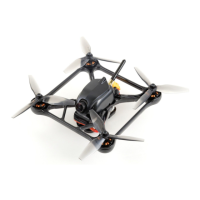
Diagram illustrating the main features and internal layout of the drone.
Concise steps for immediate setup and first flight for experienced pilots.
Important considerations and tips for using the drone and its accessories.
Instructions for installing a receiver, including connection details and recommended protocols.
Steps to bind the CROSSFIRE Nano receiver to the radio transmitter for initial setup.
Configuring receiver protocol and calibrating flight controller sensors and RC inputs.
Guidance on adjusting the FPV camera's angle for optimal flight view.
Instructions on how to safely and correctly install the propellers onto the motors.
Steps for securely mounting the battery, focusing on center-of-gravity.
Procedure for adjusting the FPV camera's lens for a clear image.
Instructions for attaching HD cameras like GoPro using provided mounts.
Calibrating the accelerometer and gyro for accurate flight control.
Description of the different flight modes available: Angle, Horizon, and Acro/AirMode.
Information on using the Velocidrone FPV simulator for practice.
Steps for removing and replacing the drone's main canopy.
Guide on how to disconnect and replace the radio receiver.
Instructions for replacing the Colibri Flight Controller board.
Procedure for replacing individual Electronic Speed Controllers (ESCs).
Steps to replace the Video Transmitter (VTX) antenna socket.
Guide on replacing the FPVISION board, including disconnections and reprogramming.
Instructions for desoldering and replacing the drone's main power cable.
Steps for removing and replacing the FPV camera unit.
Detailed instructions for removing and replacing the drone motors.
Summary of expected devices detected during the OSD boot-up sequence.
Procedure for accessing the On-Screen Display configuration menu using radio sticks.
Configuring RC inputs, VTX channels, and power levels for optimal performance.
Methods for configuring the Colibri Flight Controller settings via OSD or USB.
Overview of configurable OSD elements like units, RSSI, and battery monitoring.
Customizing OSD display options: GPS, heading, color, power index, and summary style.
Enabling and configuring the artificial horizon display for flight reference.
Setting up the pilot's HAM callsign for OSD display and VTX identification.
Accessing PID, rates, settings, calibration, and filters for the flight controller.
Configuring VTX unlock, band, channel, power level, and LED strip.
Guide to downloading and installing the TBS Agent software for firmware updates.
Procedure for updating the firmware of the CORE PRO and FPVISION boards.
Steps to update the Colibri RACE flight controller firmware using TBS Agent.
 General
| Brand | Team Blacksheep |
|---|---|
| Model | TBS OBLIVION |
| Category | Drones |
| Language | English |

 To Next Page