EasyManua.ls Logo

Tech 21 Trademark 60 - User Manual

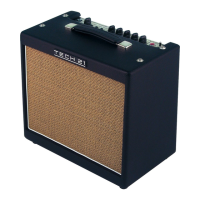
Tech 21 Trademark 60
10 pages
Print Icon
To Next Page IconTo Next Page
Loading...
Owner's Manual
WARNINGS
•Attempting to repair this unit is not recommended and may void its warranty.
•Missing or altered serial numbers automatically void the warranty. For your own
protection, be sure the serial number labels on the unit and exterior box are intact.
ONE-YEAR LIMITED WARRANTY
Manufacturer warrants unit to be free from defects in materials and workmanship for
a period of one (1) year from the date of purchase. This warranty does not include
damage resulting from accident, misuse, abuse, alteration, or incorrect current or
voltage. If unit becomes defective within warranty period, Tech 21, Inc. will elect to
repair or replace it free of charge. After warranty period expires, manufacturer will
repair defective unit for a fee.
PROOF OF PURCHASE IS REQUIRED FOR ANY REPAIR
For residents of the U.S. and Canada, please call Tech 21’s main headquarters for
shipping instructions and a Return Authorization Number. Tech 21 will not accept
packages without prior authorization, pre-paid freight (UPS preferred), and proper
insurance.
FOR PERSONAL ASSISTANCE & INQUIRIES
Contact Tech 21, Inc., weekdays from 10:00 AM to 5:00 PM, Eastern Standard Time.
DESIGNED AND MANUFACTURED IN THE U.S.A.
333 West 52nd Street, New York, NY 10019
Tel: 212-315-1116 / Fax: 212-315-0825
E-Mail: info@tech 21nyc.com
Website: www.tech21nyc.com
© 1996 Tech 21, Inc.
Fill in the following information for future reference:
Serial Number______________________________________
Dealer’s Name _____________________________________
Dealer’s Address ___________________________________
Date of Purchase ___________________________________

Other manuals for Tech 21 Trademark 60

Question and Answer IconNeed help?

Do you have a question about the Tech 21 Trademark 60 and is the answer not in the manual?

Summary

Warnings and Warranty Information

General Warnings

Advises against unauthorized repairs and missing serial numbers, and details warranty voiding conditions.

One-Year Limited Warranty

Outlines the manufacturer's warranty against defects in materials and workmanship for one year.

Repair and Assistance

Explains the process for repair authorization and provides contact information for inquiries.

Company and Product Overview

Tech 21 Company Background

Introduces Tech 21, Inc., its founder, and its pioneering role in amplifier emulation technology.

Trademark 60 Overview

Provides a general description of the Trademark 60, highlighting its analog circuitry and sound capabilities.

Important Safety Instructions

Details critical safety precautions to prevent fire, electric shock, and injury when using the unit.

Quick Start Guide

Offers basic steps to set up and start using the Trademark 60 amplifier quickly.

Top Panel Controls

Input Jack and Channel Switch

Describes the high-impedance input jack and the manual channel selector switch functionality.

Channel 1 Controls

Details the Bite, Drive, Punch, and Level controls for Channel 1, covering its tone shaping capabilities.

Channel 2 Controls

Explains the Weep, Drive, Growl, and Level controls for Channel 2, focusing on its overdrive characteristics.

Master Section and Rear Panel

Master Section EQ and Boost

Covers the Master EQ (Low, High) and the Boost function for increasing output level.

Reverb and Link Functions

Details the Accutronics reverb and the Link function for coordinating Boost and Reverb.

Rear Panel Components

Explains the Fuse holder, Headphone output, and Speaker connection on the rear panel.

External Connections and Control

SansAmp Direct Out and Ground Lift

Details the XLR output for recording and the ground lift switch for noise reduction.

Effect Loop

Explains how to connect external effects between the pre-amp and power amp sections.

Triple-Function Footswitch

Describes the footswitch for channel switching, Boost/Reverb, and Effect Loop activation.

Hook-Up Diagrams

Sample Settings Guide

Classic Tones Settings

Provides recommended control settings for Clean Fender, Dirty Marshall, and Van Halen I tones.

Rock and Blues Settings

Offers settings for Hendrix-inspired sounds, Stevie Ray Vaughan, and Metallica/Mesa Boogie tones.

Santana Signature Settings

Details settings for Santana-style Clean Rhythm and Lead guitar sounds.

Sample Settings (Continued)

Blues and Jazz Settings

Provides settings for B.B. King Blues, Clapton/Bluesbreaker, and George Benson Jazz tones.

Lead and Funk Settings

Offers settings for Larry Carlton Jazz, Compressed Lead, and Funk Lead guitar sounds.

Vox AC30 Emulation Settings

Details settings for Vox AC30-inspired tones like 'Queen' and 'Bohemian Rhapsody'.

Custom Settings Templates

Trademark 60 Specifications

Technical Specifications

Lists key technical data including model, impedance, power output, and consumption.

Physical Dimensions and Weight

Provides the physical dimensions and weight of the Trademark 60 amplifier.

Optional Accessories and Cabinets

Details available optional accessories and extension speaker cabinets for the unit.

Tech 21 Trademark 60 Specifications

General IconGeneral
Effects LoopYes
Power Output60W
Channels2
TechnologySolid State
FootswitchableYes
EQ ControlsBass, Mid, Treble
Inputs1 x 1/4" (instrument)

Related product manuals