
 Need help?
Do you have a question about the tech rc Explorer TR016W and is the answer not in the manual?
Key statements regarding the product's nature, age suitability, and support channels.
Essential rules for safe drone operation, including distance, weather, and responsible use.
Identifies key components of the drone, including propellers, lights, and battery.
Details the transmitter's controls, buttons, and joysticks for operation.
Guidelines for safe flight, including open areas, signal strength, line of sight, and altitude limits.
Step-by-step instructions for pairing the drone with the transmitter for initial connection.
Procedure to calibrate the drone's gyroscope for stable flight control.
Steps to calibrate the drone's compass for accurate navigation and orientation.
How to establish a GPS connection for enhanced navigation and features.
Instructions on how to unlock and lock the drone's motors before and after flight.
Using the one-key button for automatic takeoff and landing procedures.
How to perform an emergency stop in critical situations to prevent damage or injury.
Important checks before flight, including camera direction, propeller rotation, and app installation.
Detailed explanation of controlling the drone's movement using the joysticks.
Explanation of the three speed levels for adjusting flight performance.
Information on Headless Mode operation and potential recalibration needs.
Instructions for activating and controlling the drone's areal circulating flight pattern.
Guide to activating and using the Follow Me mode for tracking.
Troubleshooting common issues with Follow Me Mode, like weak GPS signals.
How to use the One-key Return feature and its operational notices.
How to use the GPS switch to exit GPS mode or confirm connection.
Instructions for inserting the memory card into the drone's SD card slot.
How to manually adjust the drone's camera angle for optimal shots.
Steps for mounting a mobile phone onto the transmitter clamp.
Steps to download and install the mobile application for drone control.
Instructions for connecting the mobile device to the drone's WiFi for camera feed.
Guide to launching and navigating the drone control application.
Covers essential app functions like main menu navigation, controls toggle, and screen flipping.
Details advanced flight modes and features accessible via the app, such as Follow Me and GPS.
Functions for taking photos, recording videos, and managing media within the app.
Key instructions for using the app, including pairing, simultaneous control, and mode switching.
Technical details of the drone, including weight, flight time, and operating temperature.
Details about the drone's camera, including lens, resolution, and supported storage.
Information on the drone's battery capacity, voltage, type, and charging parameters.
Troubleshooting common issues with the drone's operation and performance.
Information regarding FCC compliance, interference, and operational conditions.
Details on RF exposure limits and recommended minimum operating distance.
Guidance on FAA registration requirements and flying regulations for drones.
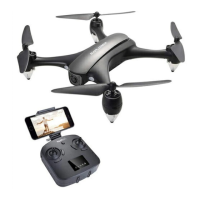
The EXPLORER TROI6W is a high-precision drone designed for experienced pilots aged 14 and above, integrating various electronic stability and control mechanisms for a safe and enjoyable flying experience. This flying camera offers easy, controllable flight when in good working order, but requires careful and correct assembly and setup to ensure accident-free operation.
The drone is equipped with a camera, allowing for still photography and video recording. It features GPS connectivity for enhanced stability and advanced flight modes. The drone supports one-key take-off and landing, making it user-friendly for various skill levels. It also includes an emergency stop function for immediate mid-flight shutdown in critical situations.
Pre-Flight Preparation: Before flying, users must read the manual completely to understand the drone's operation and safety guidelines. It's crucial to ensure the drone is placed on a flat and level surface for proper gyroscope calibration after power-on. The drone's head is indicated by two green LED lights, and the tail by two red LED lights.
Pairing and Calibration: To begin, insert the battery into the drone and press the power switch. All LED indicator lights on the drone will flash quickly. Install batteries in the transmitter and press its power button. A single beep from the transmitter indicates successful pairing, and the drone's LED indicators will turn solid. Gyroscope calibration is performed by simultaneously pushing both joysticks to the lower right corner until the drone's indicator lights change from quick flash to solid. Compass calibration involves simultaneously pushing both joysticks to the lower left corner. The drone's indicator lights and the transmitter's compass indicator light will flash quickly. Hold the drone in the air and rotate it in a figure-eight motion approximately three times until a "beep" sound is heard from the transmitter. The drone's indicator lights will then turn solid, and the compass indicator light will turn off, signifying successful calibration.
Motor Control: To unlock/lock the motors, simultaneously push the left stick to the lower left corner and the right stick to the lower right corner, or vice versa. The propellers will begin to rotate when unlocked. The drone must be unlocked before flight.
Take-off and Landing: The one-key take-off button allows the drone to automatically ascend and hover at 3-6 feet altitude. Pressing the button again initiates an automatic landing. For security, the drone will lock its motors after landing and must be unlocked again for subsequent flights.
Flight Control: The drone offers three speed modes: high, middle, and low. The default is low speed, with middle speed suitable for beginners and high speed for experts. These modes are selected by pressing down the throttle joystick.
Advanced Flight Modes:
Emergency Stop: In an emergency, simultaneously pressing the "video" and "photo" buttons on the transmitter will immediately stop the drone mid-flight to reduce damage or injury. This function should not be used at high altitudes unless absolutely necessary, as it will cause motors to lose power and lead to a crash.
Camera and Mobile Phone Integration: The drone's camera angle can be manually adjusted from 0°-35°. When adjusting, avoid direct contact with the lens to prevent image quality issues. A mobile phone clamp is provided for installation on the remote control. After connecting the drone to the transmitter, users can connect their mobile phone to the drone's WiFi signal to access the APP control interface. This allows for taking pictures (stored in the mobile APP file) and recording videos (with recording time displayed on the camera icon and stored in the mobile phone file).
Memory Card: A memory card (TF Card 64GB, not included) can be installed in the SD card slot on the bottom of the drone for storing photos and videos.
Propeller Replacement: To replace a propeller, unscrew the small screw, pull out the propeller, and then unscrew the two small screws of the LED light cover to remove it. Hold up the tube, attach the correct propeller, tighten the small screw, and then reattach the LED light cover with its screws. Care should be taken to avoid dropping screws into gaps.
Battery Care: Always check the battery's condition before charging or use. Replace the battery if it shows signs of damage, odor, overheating, discoloration, deformation, or leakage. Use only the provided LiPo charger. Do not charge on flammable surfaces or leave unattended. Avoid exposing the battery to moisture, direct sunlight, or temperatures exceeding 60°C. Remove batteries if the device will not be used for an extended period to prevent leakage.
General Maintenance: Regularly examine the charger and transformer for any damage. Do not attempt to disassemble or replace any internal parts of the drone, as they are not user serviceable. Keep the drone away from sources of magnetic interference and ensure rotating parts are clear of obstructions and loose clothing. Dispose of used batteries carefully and do not litter.
Troubleshooting: The manual provides solutions for common problems such as the drone not responding to the transmitter (re-syncing or recharging battery), propellers spinning but not taking off (recharging battery, correct propeller orientation, replacing distorted propellers), heavy shaking (replacing distorted propellers, checking for bent axle), inability to stay balanced (replacing distorted propellers, checking motor function), and instability after crashing (restarting and re-calibrating the drone).
 General
| Brand | tech rc |
|---|---|
| Model | Explorer TR016W |
| Category | Drones |
| Remote Control | 2.4GHz |
| Camera Resolution | 720p |
| Flight Time | 8-10 minutes |
| Charging Time | 60 minutes |
| Battery | 3.7V Li-Po |
| Features | Altitude Hold, Headless Mode, One Key Takeoff/Landing |

 To Next Page