10/29/2019 Tech Works CI-Series Systems Planning & Installation Manual Page 33 of 42
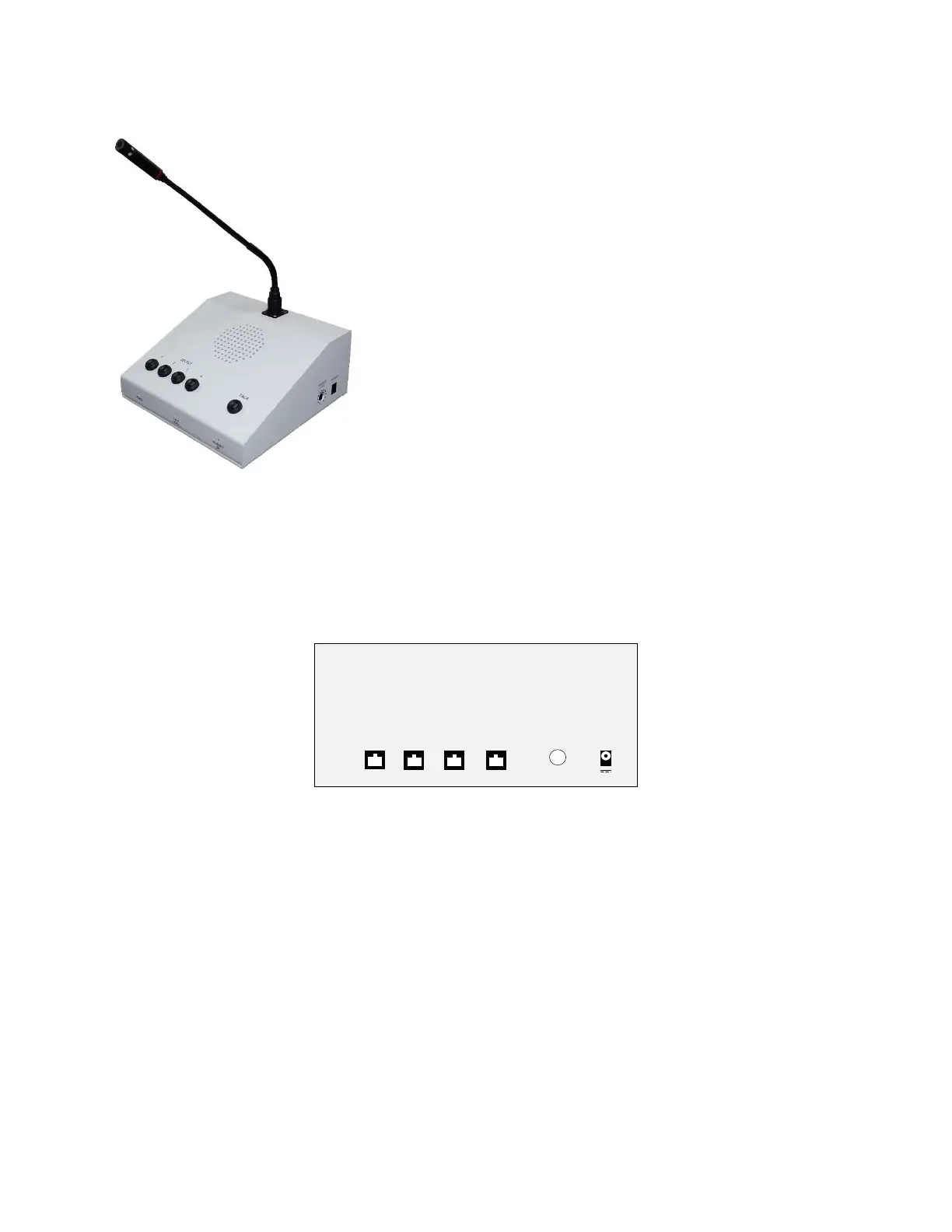
Controls and Indicators:
Sloped Face:
Station Select Switches, 4 Toggle Action
Remote Station Indicators, Four
Red when selected
Flashing when a Call is pending
Off when not active
Controls both the Listening and Talking to the Remote Station
Console TALK Switch (Toggle Action, or Momentary)
TALK Indicator,
Red when Microphone is enabled
Allows listening without interrupting the Remote Conversation
Has no affect on the Headset
Front, Vertical Face:
Power Indicator, Green when Operating Normally
Microphone Input Level Indicator/VOX Indicator:
Off (VOX not tripped), microphone off
Red, Low audio Level
Flashing Green; Normal audio level
Headset On Indicator: Green when the Operator Wireless
Headset is ON; When the Headset is ON, the Console Microphone,
Speaker, and Switches, are disabled
Side:
Console Speaker Listening Level (Knob Pot, Side)
The Console Speaker Level Adjustment is limited, the speaker may not be turned completely off
Rear Connections:
CI-BUSS, “Master” Connectors, RJ-45, (Four)
Footswitch (Optional), 1/4" TRS Jack - Used for 'Push-to-Talk' Operation
Power Connector: 3.5mm Barrel Connectors - 24Volts, 1 Amps Maximum
Chassis, Earth Ground: Hex Nut, the Chassis is connected to Circuit Common through a 1-Meg-Ohm
resistor
Side Connections:
Headset Connector, RJ-22, CS-540, Plantronics, Wireless Headset (Optional)
The CS-540 requires initial adjustments
Configuration Switch: “A”
Earphone Switch: “4”
Microphone Switch: “6”



 To Next Page