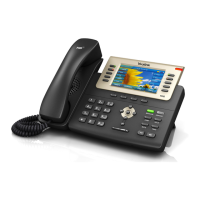
Yealink T29G User Guide
Tech Electronics Help Desk Support: (314) 951-7711 pg. 2
Placing a Call
1. Pick up the handset.
2. Enter the desired number using the phone keypad or the on-screen keypad
3. Press or the Send softkey.
With the optional headset:
1. Press to activate the headset mode.
2. Press the line key to obtain a dial tone.
3. Enter the desired number using the keypad.
4. Press or the Send softkey.
Answering a Call
To answer using the handset:
1. Pick up the handset
To answer a call using the hands-free speakerphone mode:
1. Press or tap the Answer key.
To answer a call using the headset:
1. Press headset key and tap the Answer key.
To answer while on another call:
1. Press the Answer key.
The incoming call is answered and the original call is placed on hold.
Ending a Call
To end a call:
When using the handset:
1. Press the End Call softkey or hang up the handset.
When using the headset:
1. Press or the End Call softkey.
When using the speakerphone:
1. Press or the End Call softkey.
Redialing Numbers
To redial the last dialed number from your phone:
1. Press twice.
A call to your last dialed number is attempted.
To redial a previously dialed number from your phone:
1. Press when the phone is idle.
2. Press or to select the desired entry form the placed calls lists.
3. Press or the Send softkey.


 To Next Page
 Loading...