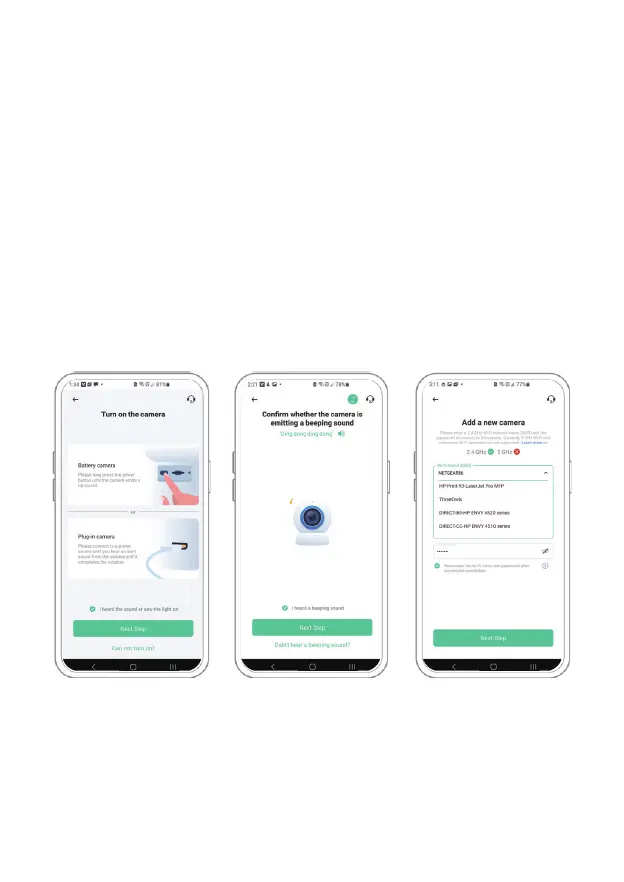
Step 4) On the next page select your desired 2.4GHz WiFi network
from the drop down menu under "WiFi Name (SSID)" then enter
the password. To ensure a longer connection range, the camera
only supports 2.4GHz WiFi with stronger wall penetration capability
and does not currently support enterprise level authentication.
Once complete please tap on "Next Step".
Step 2 Step 3 Step 4
07



 To Next Page