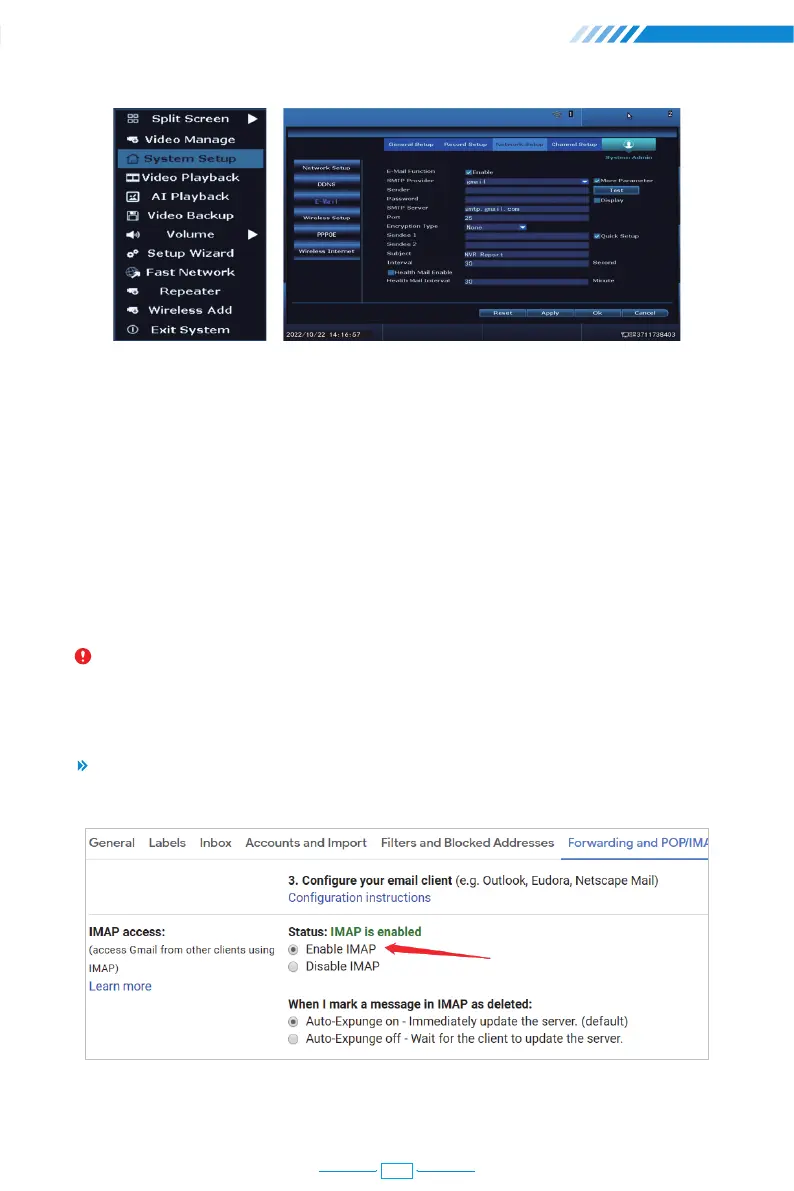
[Sender] Username of the sender's mailbox (must support and turn on SMTP function).
[Test] Click and it will send an email to receiver to test the Email setting.
[Password] Password of the sender's mailbox. Go to get 16-digit app password on your
email setting.
[SMTP Server] Sender's mailbox (for example: gmail / email).
[Port] Sender's mailbox SMTP port.
[Encryption Type] SSL.
[Sendee1 2] Receiver's mailbox.
Notice: Before testing the Email, please confirm the Network has been connected
successfully.
Enable IMAP access of your e-mail.
How To Get 16-Digit App Password?
07
17



 To Next Page