When your PC is in the same LAN as the NVR (normally it means they are connected to the
same router)
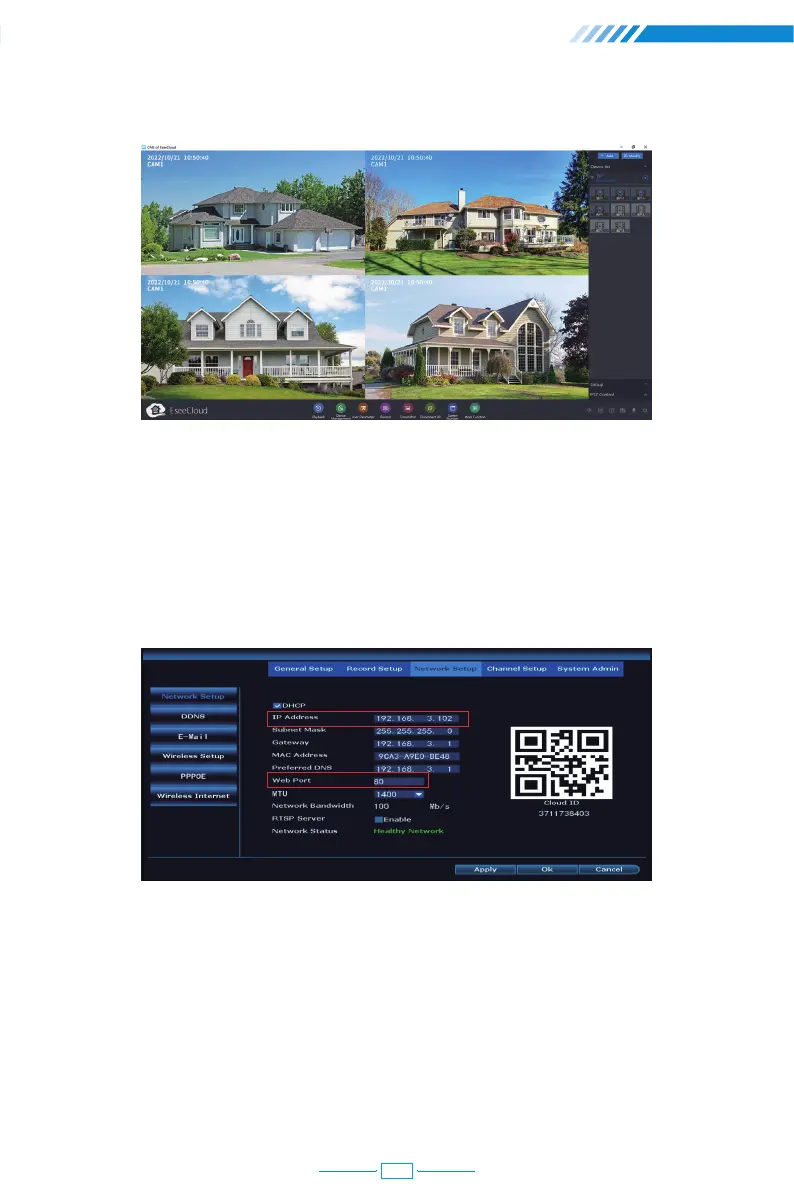
Step 1 : Find the IP address and Web port of your NVR (IP address can be found in
[System Setup] > [Network Setup]).
Step 2 : Firstly, the default IP address is 192.168.1.88
If you have already connected NVR to router, then it will assign IP address for your device
automatically. Please download this IPCCamSuite Software to find or incorrect IP address
on PC. Download Link:
www.techage.com/pages/software-for-wifi-wireless-camera-system
6.3 View on PC Browser from Lan and Wlan
Add all the cameras and remote view:
24



 To Next Page