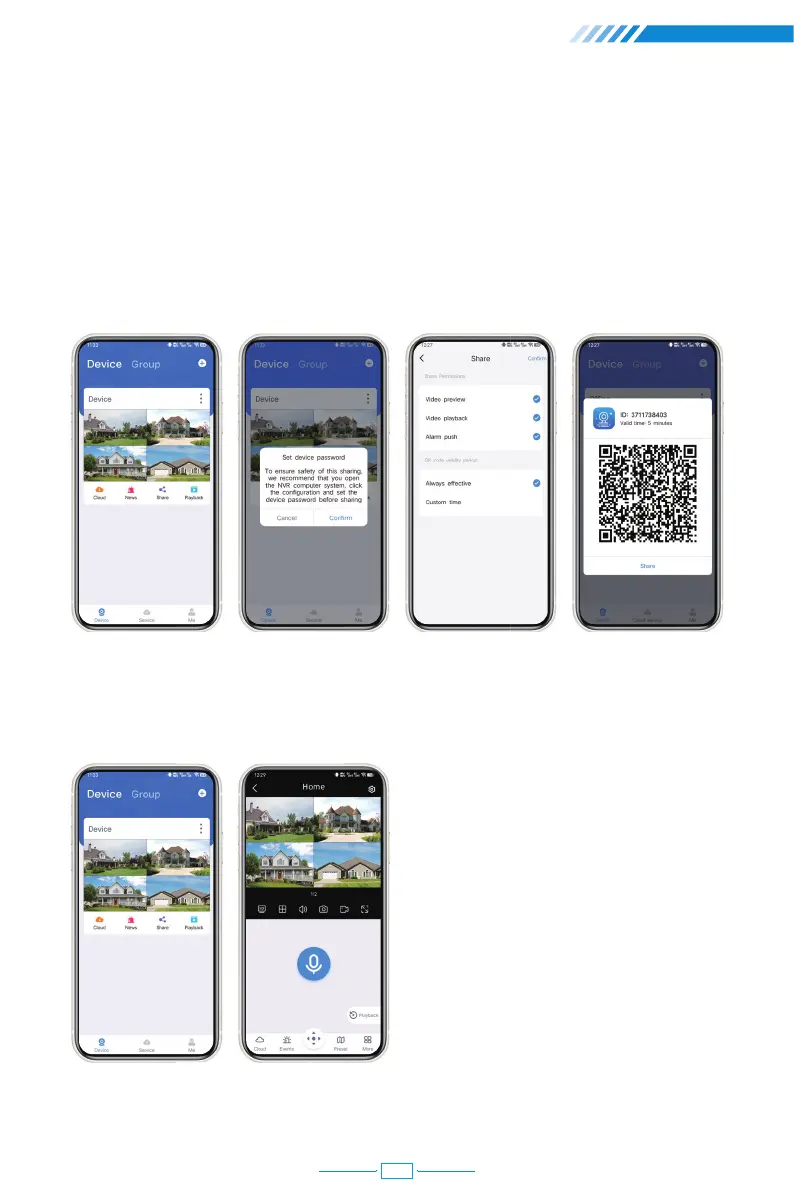
How to share device to your friends and families?
In order to share your device with your family, your family must have EseeCloud App on
their smartphone and register an account.
Click "Share", if you see a pop up, click "Cancel". Choose the permission you would like to
share with your family. The App will generate a QR code. Scan this QR code via your
family's smartphone then your device will show on their own EseeCloud App.
Advanced functions of EseeCloud App
(1)Live Streaming Video Monitoring
21



 To Next Page