Note - There are different microphone sensitivity levels to select from. The DC-1 is pre-set
to medium if purchased until June end 2020 and to high from July 2020 onwards.
HOW TO UPDATE YOUR CAMERAS FIRMWARE
1. Download the selected (mic sensitivity variation) FW96660A.bin (Pre June 2020) or
FW96675A.bin (From July 2020) file from our support page.
2. Insert the micro SD into your computer and open it to the first page (called the root level)
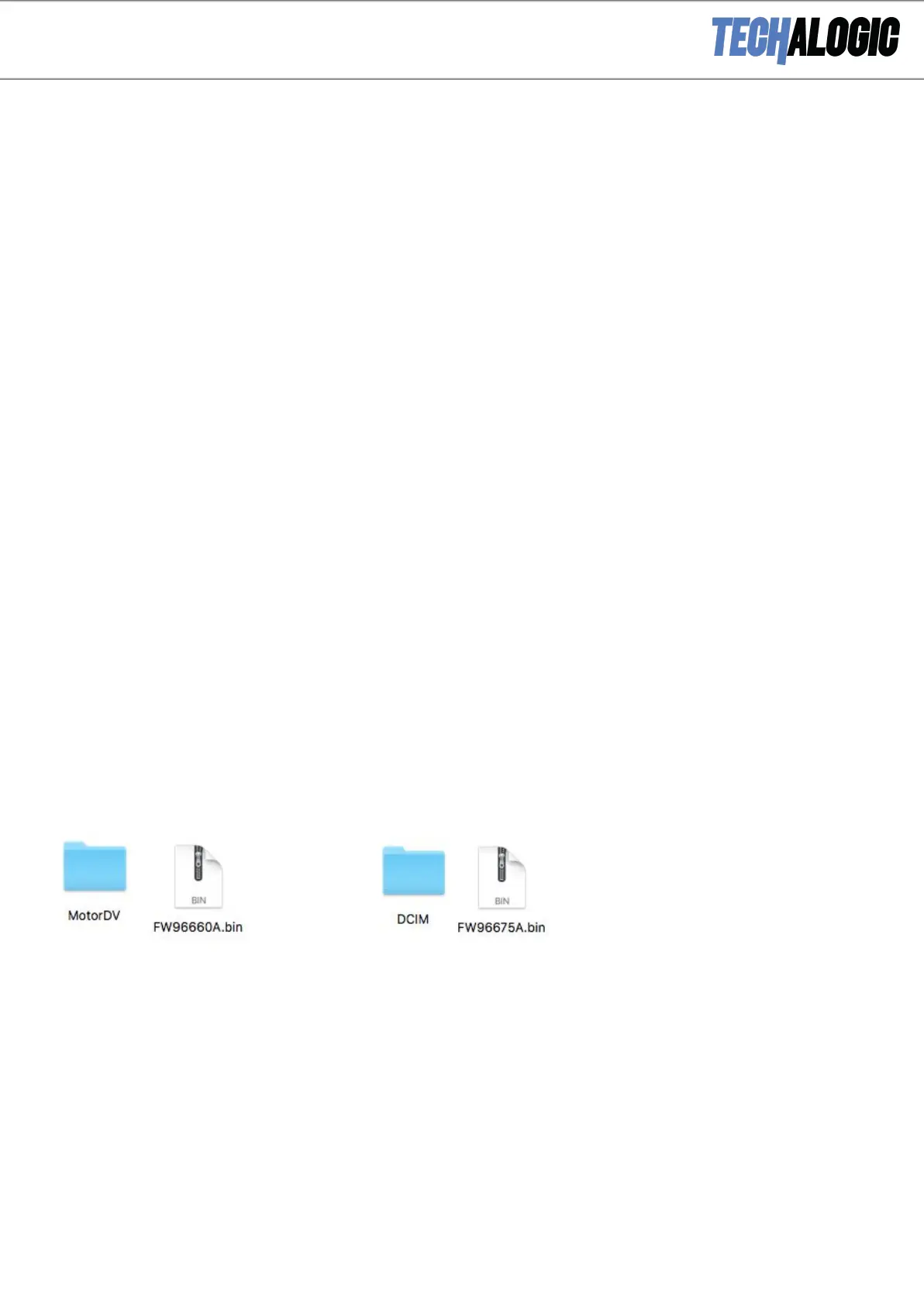
3. Copy the desired ‘FW96660A.bin/FW96675A.bin’ file into the root level of your Micro SD
card – beside the MotorDV or DCIM folder. (The file name should match the .bin name
exactly). Both examples below
4. Safely eject your SD card from your computer.


 To Next Page