
 Need help?
Do you have a question about the Techalogic DC-1 and is the answer not in the manual?
Long press to turn on/off, short press to start/stop recording, fast press twice to turn Wi-Fi on/off.
Describes the status of Wi-Fi, Recording, Battery, and Charging indicator lights.
Use the micro USB cable to fully charge the camera. Red light indicates charging, turns off when fully charged.
Insert Class 10+ TF card (max 128GB). Reformat if first use. Do not remove during recording.
Hold main button to turn camera on/off. Camera enters recording mode automatically after 8 seconds.
Activate Wi-Fi by pressing the main button twice. Connect to the 'Techalogic DC-1' device via settings.
Camera vibrates three times for no memory card or card reading error.
Green light status indicates battery power: steady (50%+), slow flash (30-50%), quick flash (<30%).
Camera turns off automatically after 3 minutes of inactivity to save power, unless external power is used.
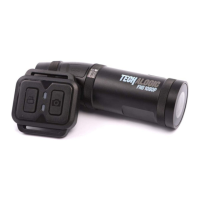
Wireless controller works within 3m. Camera button takes photos (red LED), Lock file button locks segments (green LED).
Download the VF Cam App for Android or iOS to manage camera functions and view live feed.
Use app live view to determine best POV. Adjust angle with quick release clip's rotating bezel.
Specially designed elasticated anti-slip strap fits any horse-riding hat. Use angle bracket and camera holder for secure side mounting.
 General
| Video Resolution | 1920x1080 |
|---|---|
| Frame Rate | 30fps |
| Loop Recording | Yes |
| GPS | No |
| Sensor Type | CMOS |
| Lens Type | Fixed |
| Digital Zoom | 4x |
| Storage Media | MicroSD |
| Battery Type | Lithium-ion |

 To Next Page

