11
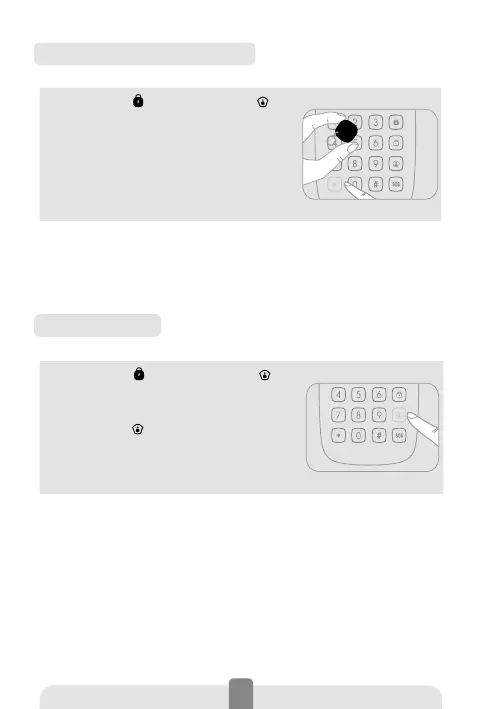
Disarming by RFID tag
1. Press Arm [ ] or Home Mode [ ] on
the keypad to unlock it.
2. Press [*] to activate the RFID reader
for 10 seconds.
3. Within the next 10 seconds, swipe
the RFID tag in front of the reader to
disarm the system.
The RFID reader turns o when a RFID tag is swiped in
front of it, when the key [*] is pressed again on the key-
pad, or after 10 seconds without operation.
Home Mode
1. Press Arm [ ] or Home Mode [ ] on
the keypad to unlock it.
2. Type your user code or admin code.
3. Press the [
] key: the LED indicator
blinks once, the keypad beeps once and
sends the signal to the control panel to
switch to Home Mode.
When the alarm panel receives the signal, the siren
beeps once and the Home Mode indicator lights up: the
alarm system is now in Home Mode.
All the sensors in regular zones are armed except those
in the Home Mode zone. The sensors in the Home Mode
zone are disarmed so that users can move inside their
home.



 To Next Page