9
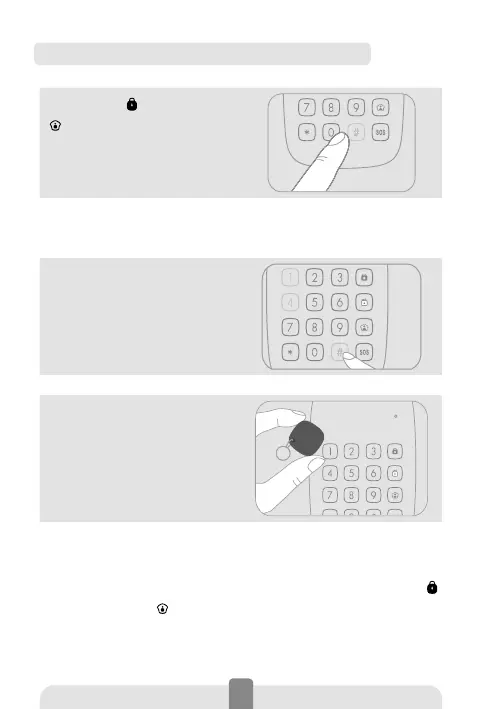
Register an RFID tag in the keypad
1. Press Arm [ ] or Home Mode
[
] on the keypad to unlock it.
Then type [admin code + #] to
enter Setup Mode.
Default admin code: 123456
If you hear 2 beeps, the code you have typed is wrong.
2. Type [41#]. You hear one
beep and the LED indicator
lights up: the keypad switches
to Connection Mode.
3. Swipe the RFID tag in front
of the RFID reader. You hear
one beep: the connection is
successful.
lf you hear two
beeps, the RFID tags has
already been connected.
Press [*] to exit Setup Mode.
To clear all registred RFID tags, press any of the Arm [ ]
or Home Mode [ ] keys on the keypad to unlock it, and
then type [admin code + #42#]. You hear one beep: the
RFID tags have been deleted from the keypad.



 To Next Page