EN
Thisproductismarkedwiththissymbol.Itmeansthat
used electrical and electronic products should not be
mixedwithgeneralhouseholdwaste.
There is a separate collections system for these
productsincompliancewithEUDirectiveWEEE.
TheproductiscompliancewithEMCDirective2004/108/
ECandROHS22011/65/EU
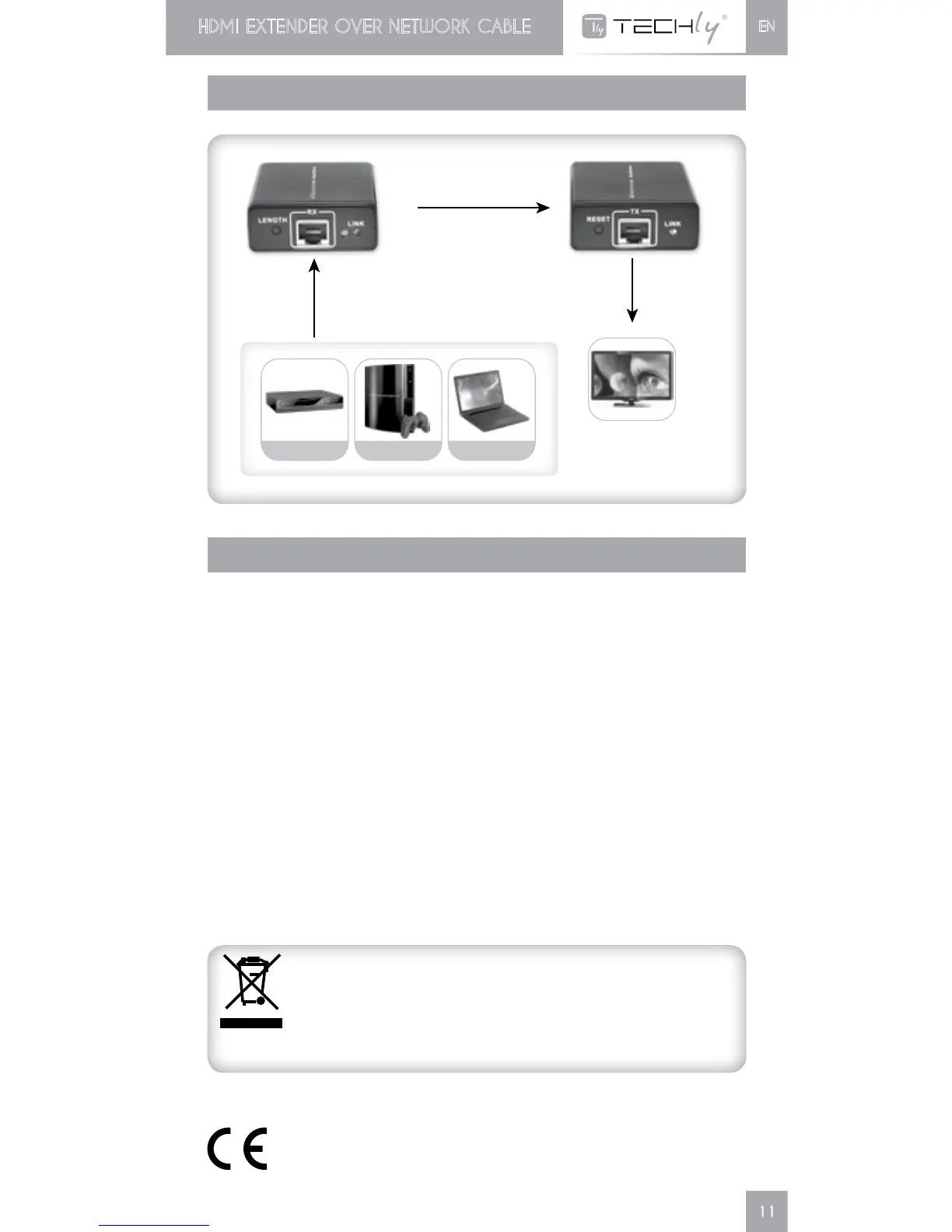
CONNECTIONS
RFQ
Q1: No image output?
A1:AdjustRX"LENGTH"button.
Q2:RX"LINK"ledisflashingallthetime?
A2: Make surenetwork cable connection follows the way of 568B;
CheckwhetherTXHDMIsignal;ResetthedeviceusingRESET
button on the transmitter.
Q3:RXlightsallthetimeburnoimageoutput
A3:Adjust RX LENGTH button; Make sure HDMI cables are well
connectedwithTV;Unplugandplugnetworkcableorre—upRX
electricity
Cat 6 Cable
HDMI Cable HDMI Cable
SET TOP BOX GAME BOX LAPTOP













 To Next Page