FAQ
Q: There is no output on screen when all connections are correct
A: 1) Please make sure the HDMI cables supports 4K x 2K if the
output signal from the source device is 4K x 2K resolution.
2) Please check and make sure the network cable insert to the
RJ45 port well.
3) Restart the transmitter or receiver by pressing the reset button.
Q: Black screen happened on the display/monitor
A: 1) Check if the length of the cable is within the specified range.
2) Reset the transmitter to re-built the connection.
Q: The display shows unusual color or no sound
A: 1) Reset the transmitter or receiver to re-built the connection.
2) Check if the HDMI cables are connected well.
3) Reconnect the network cable.
SPECIFICATION
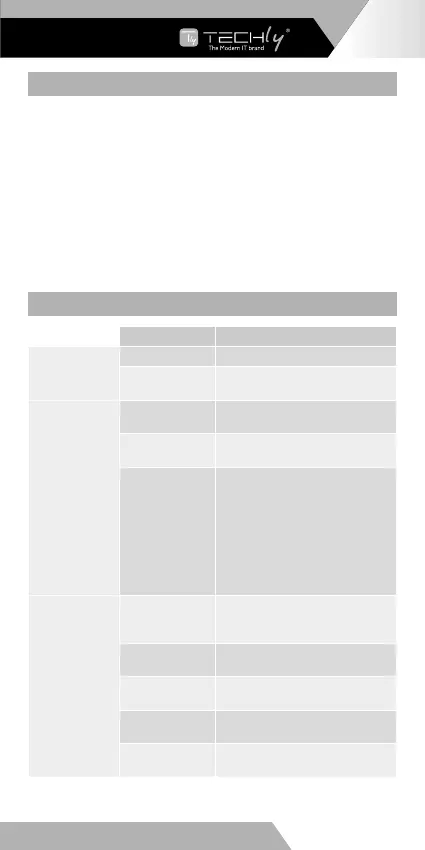
Items Specification
Power Supply
Voltage/Current DC5V-12V
Power
consumption
TX < 4W RX < 4W
HDMI
Performance
and Interface
HDMI
compliance
HDMI 2.0
HDCP
compliance
HDCP 2.2
HDMI resolution
480i@60Hz, 480p@60Hz,
576i@50Hz, 576p@50Hz,
720p@50/60Hz, 1080i@50/60Hz,
1080p@50/60Hz,
3840x2160@24/25/30/50/60Hz,
4096x2160@24/25Hz, 1280x960,
1280x800, 1280x768, 1680x1050,
1360x768, 1366x768, 1600x900,
1024x768, 800x600
HDMI
Performance
And Interface
Supports audio
formats
LPCM/DTS-HD/DTS-Audio/Dolby
True HD 7.1CH/Dolby Digital
5,1CH
Input and output
TMDS signal
0.7~1.2Vp-p(TMDS)
Input and output
DDC signal
5Vp-p (TTL)
Input cable
length
≤8m (AWG24)
Output cable
length
≤8m (AWG24)
EN - 7
WWW.TECHLY.COM
HDMI KVM EXTENDER
OVER NETWORK CABLE








 To Next Page