6
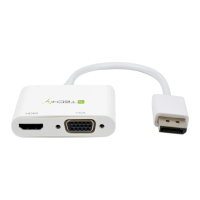
HDMI D Type to VGA Adapter
EN
3.0 PACKAGE CONTENTS
Before attempting to use this unit, please check the packaging and make sure the following items are contained in the
shipping carton:
•Mainunit.
•User'sManual
4.0 PANEL DESCRIPTIONS
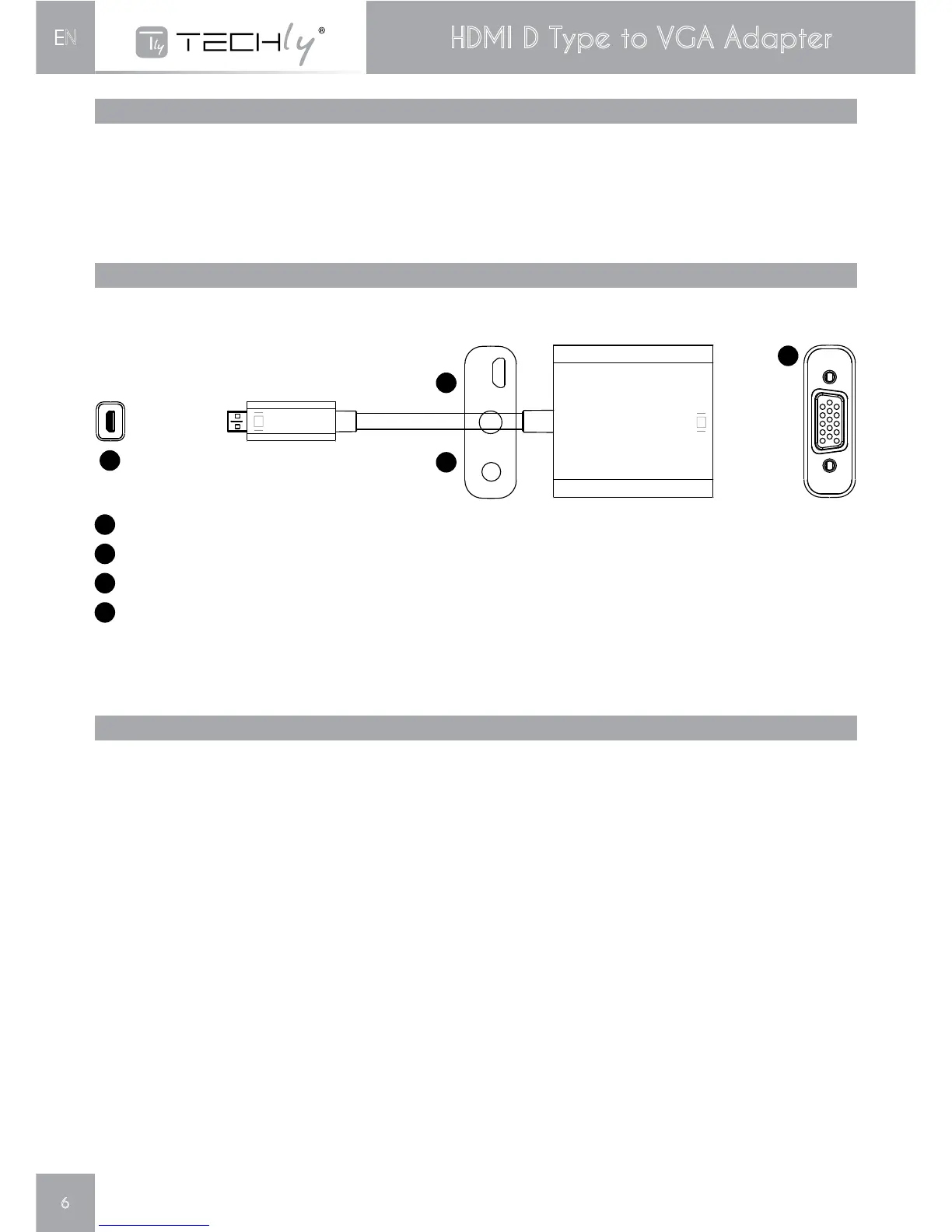
Pleasestudythepaneldrawnbelowandbecomefamiliarwiththesignalinput(s),output(s)andpowerrequirements.
5.0 CONNECTION AND OPERATION
Beforeinstallation,pleasemakesureallthedevicesyouwishtoconnecthavebeenturnedoff.
1)ConnecttheHDMIinputofthisproducttoHDMIsource.
2)ConnecttheVGAoutputofthisproducttodisplaywithVGAinput.
3)ConnecttheHeadsetandstereovideoamplifitertotheHeadsetjack.
4)IftheHDMIsourcescan’tsupplytheenoughpower,youcanconnectthe
Micro USB female to your computer or power adapter.
Note:HDMItoVGAAdaptermayexistingthefollowingcompatibilityproblems
1.IftheVGAportofDisplaydoesn’tsupportRefreshRateat50HZ,theconnectedDisplaywillhavenoimagewhenthe
HDMISourcesettingat50Hz.
2.IftheVGAportofDisplaydoesn’tsupportresolutionat720p,1080iand1080p,theconnectedDisplaywillhaveno
imagewhentheHDMISourcesettingat720p,1080iand1080p.
3.IftheVGADisplayconnecteddoesn’tsupportinterlacedresolution,itwillhavenoimagewhentheHDMISource
settingat1080i,480ior567i.
Ourconverterfullysupportstheaboveformats.ThesecommonproblemsaremainlycausedbyDisplaysnotsupporting
these formats.
1
VGAoutputport-ConnectthisporttoVGAdisplay
2
HDMIDinputport-ConnectthisporttoHDMIsource.
3
HeadsetJack-ConnectthePortto3.5mmheadsetoraudioamplifier
4
MicroUSBFemale-ConnectthePorttocomputerorPowerAdapterforchargingandgettingpower.
2
3
4
1



 To Next Page