Choose the date you want to see the playback
Click it to zoom in and out on the timeline
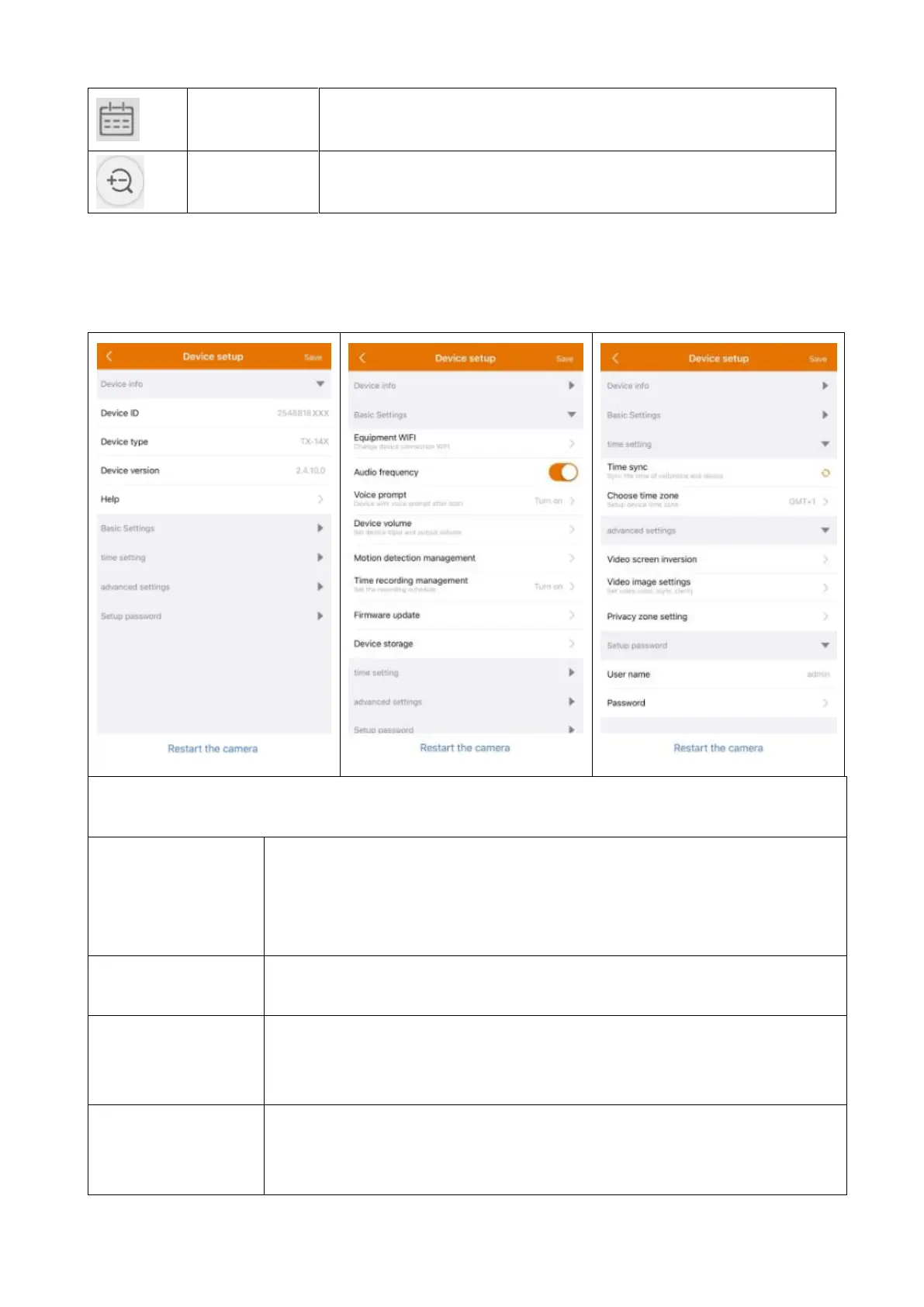
Device Setup
Clicking on Setup or Setting under the live view. It opens the Device setup
below.
This interface can differ a little bit depending on the use of iOS or Android. All
options are explained below.
The ID number of the device. This item cannot be filled in.
Device ID will be automatically configured according to
device type.
Find help how to use the App and also a small FAQ.
Click to change the WIFI Router the camera is connected
to.
Enable/Disable the microphone to listen to audio
configuration (is not usable to configure the camera).


 To Next Page